KHIZHNYAKOV
How to Track Accounts Receivable and Build an Aging Report in Excel
Accounts Receivable Tracker — Excel Template — Open the template →
Offering payment terms helps you win clients, but it turns part of your revenue into a promise. When invoices pile up, questions start: who owes what, how late are they, and who needs a reminder today? If the answers live in email threads and memory, money slips through.
A receivables tracker in Excel answers those questions in seconds. You record each invoice once, enter payments as they come in, and the spreadsheet calculates balances, days overdue and an aging report. Here is how to set it up.
Step 1. A client list with payment terms
Each client gets a row with their standard terms in days (Net 15, Net 30, Net 45) and the person responsible for the account. Due dates are then calculated automatically rather than typed by hand.
Step 2. An invoice log
One row per invoice: invoice number, client, invoice (or shipment) date, amount, due date, paid, balance, days overdue, aging bucket, next contact date.
Due date from terms:
=C2+VLOOKUP(B2,Clients!$A:$B,2,FALSE)
Allow a manual override for one-off deals: =IF(F2<>"",F2,C2+VLOOKUP(...)), where column F holds a custom due date.
Step 3. Payments in a separate sheet
Clients often pay in parts, or pay several invoices with one transfer. Record each payment as a separate row with the invoice number, date and amount. On the invoice sheet, sum them:
=SUMIF(Payments!$B:$B,A2,Payments!$C:$C)
Balance = amount − paid. This keeps the invoice log clean and gives you a full payment history.
Step 4. Days overdue and aging buckets
Days overdue: =IF(balance<=0,0,MAX(0,TODAY()-due_date))
Bucket:
=IF(balance<=0,"Paid",IF(days=0,"Not due",IF(days<=30,"1–30",IF(days<=60,"31–60",IF(days<=90,"61–90","90+")))))
Example, as of November 30:
| Invoice | Client | Amount | Due | Paid | Balance | Days | Bucket |
|---|---|---|---|---|---|---|---|
| 1041 | Northside Dental | 2,400 | Dec 10 | 0 | 2,400 | 0 | Not due |
| 1036 | Blue Oak Cafe | 1,850 | Nov 15 | 1,000 | 850 | 15 | 1–30 |
| 1029 | Harper Builders | 5,200 | Oct 20 | 0 | 5,200 | 41 | 31–60 |
| 1012 | Lakeview Rentals | 960 | Aug 25 | 0 | 960 | 97 | 90+ |
Step 5. The aging report
Summarize balances by bucket with SUMIFS:
| Bucket | Balance | Share |
|---|---|---|
| Not due | 2,400 | 25% |
| 1–30 | 850 | 9% |
| 31–60 | 5,200 | 55% |
| 61–90 | 0 | 0% |
| 90+ | 960 | 10% |
| Total | 9,410 |
Three-quarters of receivables are overdue, and most of it sits with one client. That's an immediate priority. The older a debt, the harder it is to collect, so the 31–60 bucket deserves action now, before it becomes 90+.
A second view by client (=SUMIFS(balance,client,name)) shows concentration risk: if one client owes half your receivables, their late payment is your cash-flow problem.
Step 6. Reminders: who to call today
Add a "next contact" date. A status formula then says what to do:
- If the contact date has arrived and the balance is unpaid → "Call"
- If the invoice is overdue and no contact is scheduled → "no contact"
=IF(G2<=0,"",IF(AND(K2<>"",K2<=TODAY()),"Call",IF(AND(H2>0,K2=""),"no contact","")))
Filter on "Call" every morning, and update the date after each conversation.
Common mistakes
- Typing due dates by hand. Calculate them from terms to avoid errors.
- Overwriting the paid column. Separate payment rows keep a history and handle partial payments.
- Ignoring the "not due" bucket. Large upcoming balances need a friendly reminder before the due date.
- Waiting too long to call. A polite call at day 5 overdue works better than a stern letter at day 60.
Ready-made template: Accounts Receivable Tracker
The Accounts Receivable Tracker is a paid Excel template with this logic ready to use.
- "Clients": customers, payment terms in days and account managers.
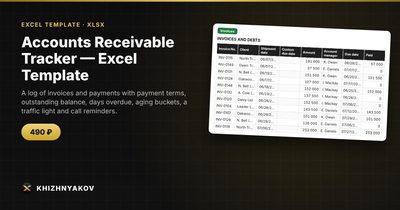
- "Invoices": up to 800 invoices with client, shipment date, amount, due date (with a "Custom due date" column for special terms), balance, days overdue, aging bucket, traffic light and next contact date, with "Call" and "no contact" reminders.
- "Payments": up to 1500 payments by invoice number; partial payments are added up automatically.
- "Summary": total receivables, overdue share, aging 1–30, 31–60, 61–90 and over 90 days, debt by client and charts.
It works in Excel 2007 and later and in LibreOffice, with standard formulas and no macros. Calculations are approximate.
FAQ
What is DSO and should I track it?
Days sales outstanding estimates how long it takes on average to get paid: receivables / revenue for the period × days in the period. It's a useful trend metric once you have a few months of data.
When should I stop offering terms to a client?
Set a rule in advance, for example: any invoice over 60 days overdue means new work is prepaid until the balance is cleared. Applying it consistently feels less personal.
Should I charge late fees?
Only if they are written into your contract or invoice terms. Even then, many small businesses use them as leverage in conversations rather than charging them automatically.
How do I handle a client who pays several invoices at once?
Split the transfer into one payment row per invoice, so each balance updates correctly.