KHIZHNYAKOV
How to Track Time by Project and Client in Excel
Time Tracking by Project and Client — Excel Timesheet Template — Open the template →
For anyone who bills by the hour, untracked time is lost money. Fifteen minutes on a client call, half an hour fixing a "small" issue, and by the end of the month a project has quietly eaten 20% more hours than anyone can invoice.
A simple timesheet in Excel makes those hours visible. You log time against projects, the sheet calculates the amount per entry from the project's rate, warns you when a project goes over its hours budget, and shows what's not yet invoiced or unpaid. Here's how to build one that works for a solo freelancer or a small studio.
Step 1. A project list
One row per project with the essentials:
| Project | Client | Rate | Hours budget |
|---|---|---|---|
| Website redesign | Greenleaf Co. | $85 | 120 |
| Monthly SEO | Ridge Dental | $70 | 20 |
| Brand guide | Atlas Coffee | $90 | 40 |
Keep the team members list here too if more than one person logs time.
Step 2. The time log
One row per block of work: date, person, project, task, hours, billable (Yes/No), status (Not invoiced, Invoiced, Paid).
Use drop-down lists for project, person, billable and status. Then calculate:
- Rate:
=VLOOKUP(C2,Projects!$A:$C,3,FALSE) - Amount:
=IF(F2="Yes",E2*H2,0) - Week:
=WEEKNUM(A2,2) - Month:
=TEXT(A2,"yyyy-mm")
If you log start and end times instead of hours: =(end-start)*24. Excel stores time as a fraction of a day, so multiplying by 24 gives decimal hours.
Round time consistently, for example to 15 minutes: =CEILING(hours,0.25).
Step 3. Track non-billable time too
Mark internal meetings, rework you won't charge for, and admin as non-billable rather than not logging them. They don't appear on invoices, but they reveal the real cost of a project. If a fixed-scope project took 140 hours of which 120 were billable, your effective rate was lower than you thought.
Step 4. Hours budget per project
On the project sheet:
- Hours spent:
=SUMIFS(Time!E:E,Time!C:C,A2) - Budget used:
=hours_spent/hours_budget
Conditional formatting: yellow above 80%, red above 100%.
Example: the website redesign has 96 of 120 hours logged, so 80% of the budget is used. If the project is only halfway done, that's the moment to talk to the client about scope, not after the hours run out.
Step 5. What to invoice and what's unpaid
Total the amounts by project and status:
=SUMIFS(Time!I:I,Time!C:C,A2,Time!G:G,"Not invoiced")
| Project | Not invoiced | Invoiced | Paid |
|---|---|---|---|
| Website redesign | $2,040 | $3,400 | $2,720 |
| Monthly SEO | $490 | $0 | $910 |
At the end of each month, filter "Not invoiced," create invoices, and switch those rows to "Invoiced." When money arrives, mark them "Paid." The invoiced column is effectively your list of outstanding payments.
Step 6. Monthly summary
A grid with projects down the side and months across the top (SUMIFS on the Month column) shows where time goes. Add a row for total billable hours and the share of billable time: hours billed / hours worked. For many freelancers, 60–75% billable is realistic once admin and sales are included; it's a number worth knowing about yourself.
Common mistakes
- Logging from memory on Friday. Log daily, or at least note start and end times; memory underestimates small tasks.
- Not logging non-billable work. You lose sight of what projects really cost.
- Typing rates into every row. Pull them from the project list so a rate change happens in one place.
- No budget warning. Overruns discovered at the end can't be negotiated.
Ready-made template: Time Tracking by Project and Client
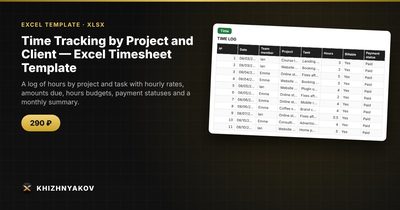
The Time Tracking by Project and Client timesheet is a paid Excel template ready to use.
- "Projects": projects, clients, hourly rate, hours budget and team members; hours spent and budget percentage are calculated automatically, and the row turns red above 100%.
- "Time": up to 3000 entries with date, team member, project, task, hours, billable or not, and payment status; rate, amount, week and month are filled in automatically.
- "To invoice": for each project, how much is not invoiced, invoiced and paid.
- "Summary": hours and money by project and month, budget usage and charts.
Non-billable hours count toward time but not toward the amount. It works in Excel 2007 and later and in LibreOffice, with standard formulas and no macros.
FAQ
Should I track time on fixed-price projects?
Yes. You won't invoice by the hour, but you'll learn whether your fixed prices are right. Mark the hours billable with the project's internal rate to see what the project "should" have cost.
What's the best time increment?
Six or fifteen minutes are common. Choose one, tell clients, and round consistently.
How do I handle different rates for the same client?
Create separate projects (e.g. "Greenleaf — Design" and "Greenleaf — Development") with their own rates.
Can a team share one timesheet?
Yes, if everyone logs in the same file and picks their name from the list. For larger teams, have each person keep their own log and combine them monthly.