KHIZHNYAKOV
How to Track Freelance Income and Your Real Hourly Rate in Excel
Freelancer Order and Time Tracker — Excel Template — Open the template →
Freelance income is lumpy. Some clients pay by the hour, others per project; some pay in a week, others in two months; and some work never gets invoiced because it slipped your mind. At the end of the month the bank balance says one thing and your sense of how busy you were says another.
A freelance income tracker in Excel brings it together: hourly work and fixed-price orders in one place, unpaid amounts by client, income by month and the number most freelancers never calculate: their actual hourly rate. Here's how to set it up.
Step 1. A client list with rates
| Client | Hourly rate |
|---|---|
| Northwind Media | $75 |
| Pine & Co. | $90 |
| Studio Kale | $60 |
Add a few settings next to it: today's date (or =TODAY()), an estimated tax percentage for reference, and the first month of your report.
Step 2. Hourly work: a time log
One row per block of work: date, client, task, start, end, hours, custom rate, amount, paid.
- Hours from start and end:
=(E2-D2)*24. If you didn't time a task, type the hours in column F and let a calculated hours column choose:=IF(AND(D2<>"",E2<>""),(E2-D2)*24,F2) - Rate: the custom rate if one is entered (rush jobs, weekends), otherwise the client's rate:
=IF(G2<>"",G2,VLOOKUP(B2,Clients!A:B,2,FALSE)) - Amount:
=hours*rate - Paid: a simple Yes/blank mark.
Step 3. Fixed-price orders: a separate list
Projects with an agreed price don't fit a time log. Keep them in their own table: client, description, amount, deadline, status (In progress, Delivered), delivery date, paid so far.
- Balance due:
=amount-paid - Deadline traffic light: "Overdue" if the deadline has passed and status isn't Delivered, "Urgent" if it's within your threshold (say 3 days).
Count a fixed-price order as income in the month it's delivered. That keeps your monthly totals realistic.
Step 4. Income by month and client
Use SUMIFS on both sheets, by month:
=SUMIFS(Time!H:H,Time!A:A,">="&B$1,Time!A:A,"<"&EDATE(B$1,1))+SUMIFS(Orders!C:C,Orders!F:F,">="&B$1,Orders!F:F,"<"&EDATE(B$1,1),Orders!E:E,"Delivered")
The same approach by client shows concentration: if one client is 60% of your income, that's a risk worth knowing about.
Step 5. Your actual hourly rate
Your list rate is what you charge; your actual rate is what you earn. They differ because of rush rates, discounts and clients with different rates.
Actual hourly rate = income from hourly work / hours worked
Example month: 56 hours logged, earning $4,200 → $75 per hour, even though your main client pays $90. The lower-rate client took more of your time than you thought.
Fixed-price orders aren't included here because there are no hours logged against them. If you want to know whether fixed prices pay off, log your hours on them too, and compare the price with hours × your target rate.
Step 6. What you're owed
Unpaid hourly work: =SUMIFS(Time!H:H,Time!I:I,"<>Yes"). Plus the balances due on fixed-price orders. Together, that's money you've earned but not received: the first thing to check before you worry about a slow month.
Step 7. An after-tax estimate
Freelancers pay their own taxes, so a gross income figure can be misleading. A reference line helps: after tax ≈ income × (1 − tax rate). If your combined rate is around 25%, $6,000 of income is about $4,500 to live on. Tax rules and rates depend on your country and situation; check with a tax adviser and set money aside every time you get paid.
Common mistakes
- Not logging small tasks. Ten unlogged 15-minute calls is 2.5 hours a month.
- Mixing projects and hours in one list. Fixed-price work distorts your hourly figures.
- Forgetting to mark payments. Then "unpaid" includes money you already have, or worse, misses money you don't.
- Spending the tax money. Treat the after-tax figure as your real income.
Ready-made template: Freelancer Order and Time Tracker
The Freelancer Order and Time Tracker is a paid Excel template with both kinds of work built in.
- "Clients": your client list with hourly rates, a "today" setting, tax percentage (for reference), first report month and the "urgent" threshold.
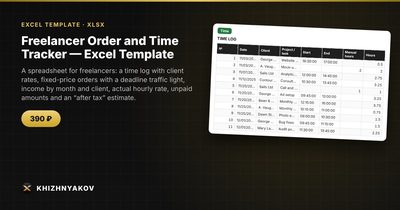
- "Time": up to 1000 entries with date, client, task, start and end or manual hours, custom rate for rush jobs, amount and a "Paid" mark; the rate fills in from the client.
- "Orders": up to 500 fixed-price orders with amount, deadline, status, paid, balance and a deadline traffic light. An order counts as income on its delivery date.
- "Summary": income by month and client, hours this week and month, average hourly rate, unpaid amounts, "after tax" and two charts.
It works in Excel 2007 and later and in LibreOffice, with no macros. Calculations are approximate; check the tax rate against current rules.
FAQ
How do I decide my freelance hourly rate?
Start from the annual income you need, add business costs and taxes, and divide by realistic billable hours (often 1,000–1,400 a year once admin, sales and vacation are counted). Then compare with the market.
Should I count income when invoiced or when paid?
For planning, track both. Count work as earned when done or delivered, and watch the unpaid amount separately so cash flow doesn't surprise you.
How much should I set aside for taxes?
It depends on where you live and your income level. Ask an accountant for an estimate, and move that percentage to a separate account with every payment.
What if a client pays part of a fixed-price project upfront?
Record the deposit in "paid so far." The balance shows what's left, and the full amount counts as income when you deliver.