KHIZHNYAKOV
How to Keep a Workout Log in Excel and Actually See Progress
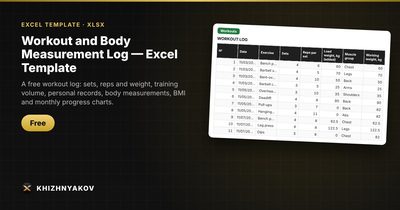
Workout and Body Measurement Log — Excel Template — Download free →
Notes on your phone tell you what you did last Tuesday, but not whether you are getting stronger. To see progress you need numbers lined up over weeks: working weights going up, total volume rising, waist going down.
A spreadsheet does that well. In this guide you will set up a workout log, calculate training volume and estimated one-rep max with simple formulas, mark personal records automatically and add weekly body measurements.
What to record after each workout
Keep one row per exercise per session. The minimum useful columns are:
| Date | Exercise | Sets | Reps | Weight, lb |
|---|---|---|---|---|
| 10/06 | Squat | 3 | 8 | 135 |
| 10/06 | Bench press | 3 | 8 | 95 |
| 10/09 | Squat | 3 | 8 | 145 |
If your sets differ (for example 8, 8, 6), either log each set as its own row or use the average reps. The first is more precise; the second is faster. Pick one and be consistent.
Formula 1: training volume
Volume is the total load you moved: sets × reps × weight. With sets in C2, reps in D2 and weight in E2:
=C2*D2*E2
For the first squat row: 3 × 8 × 135 = 3,240 lb. Next session: 3 × 8 × 145 = 3,480 lb, a 7% increase.
For bodyweight exercises like pull-ups and dips, add your body weight to the extra weight, or the volume will be zero. If you weigh 180 lb and do pull-ups with a 10 lb plate, the working weight is 190 lb.
Formula 2: estimated one-rep max
You don't need to test a true max to compare sessions. The Epley formula estimates it from any set:
1RM = weight × (1 + reps / 30)
In Excel: =E2*(1+D2/30)
145 lb × 8 reps gives 145 × 1.267 ≈ 184 lb. If next month you do 155 × 8, the estimate is about 196 lb. The estimate is rough for very high reps (above 10–12), so use it for comparison, not as a target to lift.
Formula 3: mark personal records
Add a column that checks whether this row's 1RM is the best so far for the same exercise. With the exercise in B and the 1RM in G, in row 3:
=IF(G3>MAXIFS($G$2:G2,$B$2:B2,B3),"Record","")
MAXIFS exists in Excel 2019 and Microsoft 365. In older versions use an array formula with MAX(IF(...)), entered with Ctrl+Shift+Enter. This only works if rows are in date order, so always add new workouts at the bottom.
Body measurements once a week
The scale alone is misleading: if you lose fat and gain muscle, weight may barely move. Measure weekly, at the same time of day, ideally in the morning before breakfast:
- Weight
- Waist (at the navel)
- Chest, hips, upper arm
Add a column for change since start (=B10-$B$2) and distance to goal. BMI is weight in kg divided by height in meters squared; in pounds and inches it is =703*weight/height^2. It is a crude measure and ignores muscle, so treat waist size as the more useful number.
Monthly summary
To see the big picture, total volume by month with SUMIFS. With dates in column A and volume in F:
=SUMIFS(F:F,A:A,">="&DATE(2026,10,1),A:A,"<"&DATE(2026,11,1))
You can do the same by muscle group if you add a lookup from exercise to group. A line chart of estimated 1RM for your main lifts is the most motivating chart you can make.
Common mistakes
- Changing exercise names. "Bench", "Bench press" and "BP" become three different exercises. Use a drop-down list.
- Logging out of order. Record checks and "first session" marks depend on row order.
- Comparing different rep ranges directly. 5 × 5 and 3 × 12 are different stimuli; the 1RM estimate helps, but it is not perfect.
- Measuring at different times. Evening weight can be 2–4 lb higher than morning weight.
Ready-made template: Workout and Body Measurement Log
The free Workout and Body Measurement Log template already has this logic built in.
- "Settings": your height, target weight, the weight to use for bodyweight exercises and a list of 30 exercises with muscle groups.
- "Workouts": up to 1,000 entries. You enter date, exercise, sets, reps and weight; volume, estimated 1RM (Epley) and the "Start" and "Record" marks are calculated automatically. For pull-ups and dips your body weight is added to the extra weight.
- "Measurements": up to 200 weeks of weight, waist, chest, hips and biceps, with BMI, change since start and distance to goal.
- "Summary": monthly totals, load by muscle group, progress for each exercise and three charts.
It runs in Excel 2007 and later and in LibreOffice, without macros, and is free to download. The calculation is indicative.
FAQ
How often should I increase the weight?
When you can complete all planned sets and reps with good form, add the smallest step available, often 5 lb for lower-body lifts and 2.5–5 lb for upper-body ones. The log shows you clearly when that moment arrives.
Should I log warm-up sets?
Usually not. Log working sets only; warm-ups inflate volume without telling you anything about progress.
Pounds or kilograms?
Either, as long as you use one unit throughout. Mixing them breaks volume and record calculations.
Is this a substitute for a coach or doctor?
No. It is a personal log. Check with a doctor before starting a new program, especially if you have a chronic condition or an injury.