KHIZHNYAKOV
Markup, Margin and Break-even Point: How to Calculate Them in Excel
Markup, Margin and Break-even Calculator — Excel Template — Download free →
Ask ten small business owners what "a 40% margin" means and you will get several different answers. Markup and margin are confused all the time, and the result is prices set by guesswork: sometimes too low to cover costs, sometimes too high to sell.
This guide fixes that. You will see the difference between markup and margin, set a selling price from either one with a single Excel formula, and work out your break-even point so you know how much you must sell each month to avoid a loss.
Markup vs margin
Both compare profit with something, but with different things:
- Markup = profit / cost
- Margin = profit / selling price
If you buy an item for $40 and sell it for $60, profit is $20. Markup is 20 / 40 = 50%. Margin is 20 / 60 = 33.3%.
| Markup | Margin |
|---|---|
| 25% | 20% |
| 50% | 33.3% |
| 100% | 50% |
| 150% | 60% |
To convert: margin = markup / (1 + markup), and markup = margin / (1 − margin).
Selling price from markup or from margin
With unit cost in B2 and the percentage in C2:
- From markup:
=B2*(1+C2)→ $40 × 1.5 = $60 - From margin:
=B2/(1-C2)→ $40 / (1 − 0.4) = $66.67
The second formula is the one people get wrong. Adding 40% to cost gives $56, which is only a 28.6% margin.
Include every cost per unit
Cost is not just the purchase price. Add shipping to you, packaging, payment processing and marketplace fees, anything you pay for each unit sold. If an item costs $40, inbound shipping is $3 and packaging $1.50, your real unit cost is $44.50, and a 40% margin requires a price of $74.17.
Taxes on top
In countries with VAT, you calculate the price excluding VAT and then add the rate for the customer. In the US, sales tax is usually charged on top at checkout and is not part of your margin, so work with prices before tax. Either way, keep the tax out of your profit calculations.
Round to a clean price
Nobody wants to pay $74.17. Round up to a step with CEILING: =CEILING(B5,1) gives $75, and =CEILING(B5,5)-0.01 gives $74.99. Rounding up keeps your margin at or above target.
Break-even point
Break-even is the sales volume at which revenue covers all costs, both fixed (rent, salaries, software) and variable (cost of each unit).
Break-even units = fixed costs / (price − variable cost per unit)
Example. A small shop has $6,000 of fixed costs a month. The average item sells for $60 and costs $40 in variable costs, so each sale contributes $20.
- Break-even units: 6,000 / 20 = 300 units
- Break-even revenue: 300 × $60 = $18,000
In Excel: =B1/(B2-B3), and wrap it in ROUNDUP to get whole units.
Safety margin shows how far you are above break-even: (planned sales − break-even) / planned sales. If you expect to sell 400 units, the safety margin is (400 − 300) / 400 = 25%. Sales can drop by a quarter before you lose money.
Sensitivity: what if price or volume changes?
Small price changes have a big effect. In the example, raising the price from $60 to $65 lifts the contribution from $20 to $25 and cuts break-even from 300 to 240 units. A simple two-way table with prices across the top and volumes down the side, each cell showing profit (=(price-variable)*volume-fixed), makes this visible at a glance.
Common mistakes
- Applying a margin percentage as a markup. The most expensive error on this list.
- Ignoring fees. Card and marketplace fees of 3–15% can wipe out a thin margin.
- Treating break-even as a target. It is the floor, not the goal.
- Using one break-even number for a mixed range. For many products, use the average price and average unit cost, or calculate key products separately.
Ready-made template: Markup, Margin and Break-even Calculator
The free Markup, Margin and Break-even Calculator puts all of this into three sheets.
- "Settings": pricing mode (from markup or from margin), VAT, price rounding step, minimum margin and a markup-to-margin cheat sheet.
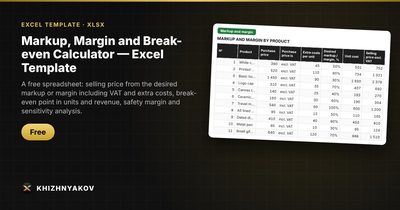
- "Markup and margin": up to 100 products with purchase price, VAT, extra costs per unit and desired percentage. You get the selling price, actual markup and margin, and profit per unit.
- "Break-even": fixed costs, price and variable costs, break-even point in units and revenue, safety margin, two sensitivity tables and a chart.
It works in Excel 2007 and later and in LibreOffice with no macros. Check the tax rates in the settings against the rules in your country. The calculation is indicative.
FAQ
Which should I track, markup or margin?
Margin, in most cases, because your income statement and most industry benchmarks are expressed as a share of revenue. Markup is convenient for setting prices from cost. A good calculator shows both.
What is a good margin?
It depends heavily on the industry. Groceries may run on single-digit net margins, while handmade goods or software can be much higher. Compare with businesses like yours, and check that your margin covers fixed costs at realistic volumes.
Should break-even include my own salary?
Yes, if you want an honest number. Add a reasonable owner's pay to fixed costs; otherwise "breaking even" may mean working for free.
How often should I recalculate prices?
Whenever supplier prices, shipping or fees change, and at least every few months. Keeping cost and price in one spreadsheet makes that a five-minute job.