KHIZHNYAKOV
How to Build a Calorie Tracker in Excel
Food and Calorie Diary — Excel Template — Download free →
Most people underestimate how much they eat. A handful of nuts here, a latte there, and the day ends 400 calories over plan without anyone noticing. Calorie-counting apps help, but many are cluttered with ads, push subscriptions, or lock your history inside the app.
A spreadsheet is a calm alternative. You decide which foods are in it, you can see every number, and nothing disappears when a subscription lapses. In this guide you will set a realistic daily calorie target, build a food database, log meals by weight and get daily totals with a few formulas.
Step 1. Work out your daily calorie target
The most widely used everyday estimate is the Mifflin–St Jeor formula. It gives your basal metabolic rate (BMR), the energy your body uses at rest. Weight is in kilograms and height in centimeters (divide pounds by 2.205 and multiply inches by 2.54):
- Men: BMR = 10 × weight + 6.25 × height − 5 × age + 5
- Women: BMR = 10 × weight + 6.25 × height − 5 × age − 161
Then multiply BMR by an activity factor to get total daily energy expenditure:
| Activity level | Factor |
|---|---|
| Mostly sitting | 1.2 |
| Light exercise 1–3 days a week | 1.375 |
| Moderate exercise 3–5 days a week | 1.55 |
| Hard exercise 6–7 days a week | 1.725 |
Worked example. A 35-year-old woman, 5'6" (168 cm), 154 lb (70 kg), light exercise:
BMR = 10 × 70 + 6.25 × 168 − 5 × 35 − 161 = 1,414 kcal.
Daily expenditure = 1,414 × 1.375 ≈ 1,944 kcal.
To lose weight gently, take about 15% off: roughly 1,650 kcal a day. To gain, add 10–15%. A sensible rule is never to set a target below your BMR.
In Excel, with weight in B2, height in B3, age in B4 and the sex in B5 ("F" or "M"), the BMR formula is:
=10*B2+6.25*B3-5*B4+IF(B5="M",5,-161)
Step 2. Split calories into macros
Protein and carbohydrates have about 4 kcal per gram, fat about 9. A common starting split is 30% protein, 30% fat and 40% carbs. For 1,650 kcal that gives:
- Protein: 1,650 × 0.30 / 4 ≈ 124 g
- Fat: 1,650 × 0.30 / 9 ≈ 55 g
- Carbs: 1,650 × 0.40 / 4 ≈ 165 g
Adjust the split to your goals; the arithmetic stays the same.
Step 3. Build a food database per 100 g
Create a sheet called Foods with columns: Food, kcal, Protein, Fat, Carbs, all per 100 g. Nutrition labels already use this basis in many countries; for US labels that list values per serving, divide by the serving weight and multiply by 100.
| Food | kcal | Protein | Fat | Carbs |
|---|---|---|---|---|
| Oatmeal, dry | 370 | 13 | 7 | 60 |
| Chicken breast, cooked | 165 | 31 | 3.6 | 0 |
| Banana | 89 | 1.1 | 0.3 | 23 |
Step 4. Log meals in grams
On a Diary sheet, use columns: Date, Meal, Food, Grams, then calculated kcal and macros. With the food name in C2 and grams in D2:
=VLOOKUP(C2,Foods!$A:$E,2,FALSE)*D2/100
Change the column number (3, 4, 5) for protein, fat and carbs. Wrap it in IFERROR to keep empty rows clean: =IFERROR(...,0). A drop-down list (Data → Data Validation → List, pointing at the Foods names) prevents typos that break the lookup.
Step 5. Daily totals
On a summary sheet, list dates in column A and total each day with SUMIFS:
=SUMIFS(Diary!E:E,Diary!A:A,A2)
Next to it, subtract the target to see the deviation, and add conditional formatting so days over target turn red.
Common mistakes
- Weighing food raw but logging it as cooked (or the other way round). Rice and pasta roughly triple in weight when cooked, so pick one basis and stick to it.
- Forgetting oil and sauces. One tablespoon of olive oil is about 120 kcal.
- Setting the target too low. Large deficits are hard to keep and usually end in rebound eating.
- Judging by a single day. Look at weekly averages; daily numbers jump around.
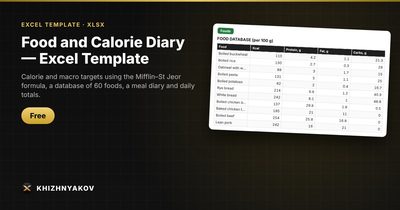
Ready-made template: Food and Calorie Diary
If you would rather not build the formulas yourself, the free Food and Calorie Diary template does all of the above in one workbook.
- On the "Targets" sheet you enter height, weight, activity and goal, and it calculates your daily calorie, protein, fat and carb targets with the Mifflin–St Jeor formula. The target never drops below your basal metabolic rate.
- The "Foods" sheet already holds 60 popular foods per 100 g, with room for up to 300 rows of your own.
- In the "Diary" you just pick the date, meal, food and grams; calories and macros are calculated automatically.
- The "Summary" sheet compares what you ate with the target by day, shows the deviation, macro ratio, a status and a chart.
It works in Excel 2007 and later and in LibreOffice, with no macros. The coefficients sit in the settings, so you can adjust them. The template is free to download.
FAQ
Is Mifflin–St Jeor accurate for everyone?
It is an estimate, usually within about 10% for most adults. Treat the result as a starting point: track your weight for two or three weeks and nudge the target up or down by 100–150 kcal if the trend does not match your goal.
Should I weigh food or use cups and spoons?
A kitchen scale is far more accurate, especially for calorie-dense foods like nuts, cheese and peanut butter. Cups are fine for liquids. Once you know your usual portions, you can weigh less often.
How do I handle restaurant meals?
Use the closest food in your database and estimate generously, or add a line for the dish using the calories the restaurant publishes. One rough entry is better than none.
Is a calorie spreadsheet medical advice?
No. It is a reference calculation. If you have a medical condition, are pregnant or follow a special diet, talk to a doctor or registered dietitian before changing how you eat.