KHIZHNYAKOV
How to Calculate Stylist Commission and Salon Payroll in Excel
Salon Services and Stylist Payroll — Excel Template — Open the template →
In many salons and barbershops, bookings live in an app or a paper diary, and payroll happens at the end of the month with a calculator and a lot of goodwill. Then someone asks why their pay is lower than they expected, and nobody can quickly show the numbers.
A service log in Excel removes the guesswork. Every service is one row, the commission and costs are calculated by formula, and payroll for any stylist and month takes a second. Below is the method, a worked example and the decisions you need to make up front.
Step 1. Settle the rules before the formulas
Write down how pay works in your salon, because the spreadsheet will apply it literally:
- Commission base: is the stylist's percentage taken from the full price or from the price after discount? Most salons use the price actually paid, so discounts are shared.
- Product costs: are color, developer and other supplies deducted before commission, or covered by the salon from its share?
- Base salary: does anyone have a fixed amount on top of commission?
- Card fees: does the salon absorb them, or are they shared?
The example below uses a common setup: commission on the discounted price, supplies and card fees paid from the salon's share.
Step 2. Lists
Three small tables:
| Service | Price | Supplies |
|---|---|---|
| Women's cut | 65 | 2 |
| Color, short hair | 80 | 6 |
| Men's cut | 35 | 1 |
| Stylist | Commission | Base salary |
|---|---|---|
| Emma | 40% | 0 |
| Luis | 45% | 0 |
| Sofia (manager) | 20% | 1,200 |
| Payment | Fee |
|---|---|
| Card | 2.5% |
| Cash | 0% |
Step 3. The service log
One row per service: date, client, service, stylist, discount %, payment method. Everything else is calculated:
- List price:
=VLOOKUP(C2,Services,2,FALSE) - Price after discount:
=G2*(1-E2) - Commission:
=H2*VLOOKUP(D2,Stylists,2,FALSE) - Supplies:
=VLOOKUP(C2,Services,3,FALSE) - Card fee:
=H2*VLOOKUP(F2,Payments,2,FALSE) - Salon profit:
=H2-I2-J2-K2
Example: Emma does a short-hair color for a returning client with a 10% discount, paid by card.
| Step | Amount |
|---|---|
| List price | $80.00 |
| After 10% discount | $72.00 |
| Emma's commission (40%) | $28.80 |
| Supplies | $6.00 |
| Card fee (2.5%) | $1.80 |
| Salon profit | $35.40 |
Step 4. Monthly payroll
For each stylist, total their commissions for the month with SUMIFS and add any base salary:
=SUMIFS(Log!I:I,Log!D:D,A2,Log!A:A,">="&start,Log!A:A,"<"&EDATE(start,1))+base
Next to it, show revenue generated, number of clients (COUNTIFS) and average ticket (revenue / clients). When a stylist asks about their pay, you can filter the log and show every service behind the number.
Step 5. What's driving revenue?
The same log tells you much more than payroll:
- Revenue by weekday: use
=TEXT(date,"ddd")in a helper column and SUMIF. Quiet Tuesdays may justify a promotion or shorter hours. - Revenue by service: rank services and look at the top five. Are your best sellers also your most profitable after supplies?
- Revenue by stylist: useful for scheduling and for spotting who needs more bookings.
Common mistakes
- Unclear commission rules. Most payroll disputes come from rules that were never written down.
- Ignoring supplies. Color services can look highly profitable until product costs are counted.
- Changing prices in old rows. When prices change, update the list for new services, but don't let past rows recalculate at the new price. Store the price in the row (copy it as a value) if your prices change often.
- Forgetting card fees. At 2–3% they are small per service but noticeable over a month.
Ready-made template: Salon Services and Stylist Payroll
The Salon Services and Stylist Payroll template is a paid Excel file built on this exact structure.
- "Lists": services with price and supplies, stylists with their percentage of revenue and base salary, and payment methods with fees.
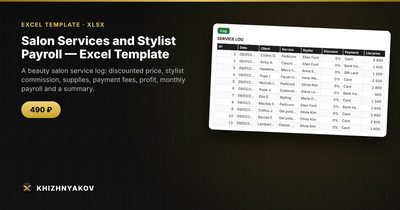
- "Log": up to 1000 services with date, client, service, stylist, discount and payment; it calculates the discounted price, stylist's commission (taken after the discount), supplies, fee and salon profit.
- "Payroll": choose the year and month to get, for each stylist, revenue, commission, base salary, amount payable, number of clients and average ticket.
- "Summary": revenue by weekday, stylist and service for any period you choose, the top 5 services and three charts.
Rates and percentages live in the lists, so you can adjust them. It works in Excel 2007 and later and in LibreOffice, with no macros. Calculations are approximate.
FAQ
What commission rate is typical?
It varies widely by region, salon type and whether the stylist has a base salary or rents a chair. Rather than copying a number, calculate what's left for the salon after commission, supplies, rent and fees, and make sure it covers your costs.
Should tips go through the spreadsheet?
Tips usually belong to the stylist and aren't salon revenue. If you want a record, add a separate tips column that doesn't feed into commission or profit.
How do I handle retail product sales?
Add them as "services" with their own price and cost, and a separate commission rate if stylists earn a smaller percentage on retail.
Does this replace payroll software?
No. It calculates what each person earned. Taxes, withholding and legal payroll requirements still need your payroll provider or accountant.