KHIZHNYAKOV
How to Calculate the Reorder Point in Excel
Reorder Point and Purchase Plan — Excel Template — Open the template →
Inventory goes wrong in two directions. Either bestsellers run out and customers leave empty-handed, or slow movers pile up and tie up cash on the shelf. Both usually come from the same habit: ordering by eye.
The reorder point is a simple rule that replaces guesswork. It tells you, for each product, the stock level at which you must place an order so the new delivery arrives before you run out. This guide shows the formula, a worked example, how to work out the order quantity and how to group orders by supplier.
The reorder point formula
Reorder point = average daily sales × (lead time + safety stock days)
- Average daily sales: units sold over an analysis period divided by the number of days in it.
- Lead time: days from placing an order to having the goods on the shelf (not just the supplier's shipping time; include processing and receiving).
- Safety stock days: a buffer for demand spikes and late deliveries.
When stock on hand falls to or below the reorder point, it's time to order.
Worked example
| Product | Sold in 30 days | Avg per day | Lead time | Safety | Reorder point | Stock |
|---|---|---|---|---|---|---|
| Dog food 5 lb | 360 | 12 | 5 | 3 | 96 | 80 |
| Cat litter | 150 | 5 | 7 | 3 | 50 | 64 |
| Chew toys | 45 | 1.5 | 10 | 5 | 23 | 18 |
Dog food: 12 × (5 + 3) = 96 units. Stock is 80, below the reorder point: order today. Cat litter has 64 against a reorder point of 50, so it can wait. Chew toys need ordering too.
In Excel, with units sold in B2, the analysis period in a settings cell named Days, lead time in D2 and safety days in a cell named Safety:
- Average per day:
=B2/Days - Reorder point:
=ROUNDUP(C2*(D2+Safety),0) - Order now?:
=IF(G2<=F2,"Order","")
How much to order
The reorder point tells you when. The quantity should cover the time until the next order arrives. A common approach:
Order quantity = average daily sales × (lead time + safety days + days between orders) − stock on hand
If you order from this supplier every 14 days: 12 × (5 + 3 + 14) − 80 = 264 − 80 = 184 units. Round up to the supplier's case size: with cases of 20, order 10 cases (200 units).
At a purchase price of $4.50, that's $900, or $828 for the exact 184.
Round to case size with =CEILING(qty,case_size).
Choose the analysis period carefully
The average is only as good as the period behind it.
- Too short (7 days): one big order makes demand look huge.
- Too long (a year): you miss recent trends.
- Seasonal products: use the same period last year or the most recent comparable weeks, not the annual average. Garden supplies in April shouldn't be planned with January sales.
Thirty to ninety days works for most stable products.
Group orders by supplier
Once you know what to order, summarize by supplier with SUMIFS: total units and total value. This lets you check minimum order values, negotiate, and see the cash you will need this week. If an order doesn't reach a supplier's minimum, consider pulling forward items that are close to their reorder point.
Common mistakes
- Forgetting stock in transit. If an order is already on its way, add it to stock on hand, or you'll order twice.
- Underestimating lead time. Use the realistic delivery time, not the best case from the supplier's website.
- Same safety stock for everything. Bestsellers with unreliable suppliers deserve more buffer than slow, steady items.
- Counting out-of-stock days as low demand. If a product was sold out for a week, its average is understated.
Ready-made template: Reorder Point and Purchase Plan
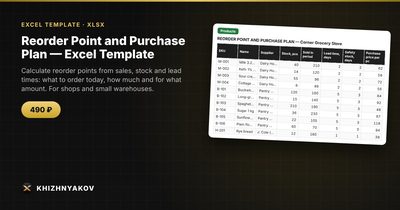
The Reorder Point and Purchase Plan is a paid Excel template that turns your sales and stock data into a daily order list.
- "Settings": safety stock in days and the analysis period. For seasonal products, choose the analysis period manually.
- "Products": stock, sales, lead time, purchase price and supplier for each item.
- "Order today": the list of items to order now, with quantity and value; the reorder point is calculated as average daily sales × (lead time + safety stock).
- "Purchase plan": a summary by supplier with the purchase total.
It works in Excel 2007 and later and in LibreOffice, with standard formulas and no macros. Calculations are approximate.
FAQ
How many days of safety stock do I need?
Start with half your lead time for typical items and more for bestsellers or unreliable suppliers. Review after a few months: if you never dip into it, reduce it; if you still run out, raise it.
What is the difference between reorder point and safety stock?
Safety stock is the buffer you hope never to use. The reorder point includes it, plus the stock you'll sell while waiting for delivery.
How often should I update the calculation?
Weekly for most small shops, or every time you prepare orders. Sales averages and stock change constantly.
Does this work for an online store?
Yes. The logic is the same for any business that holds stock. Just make sure "stock" means sellable units, not items reserved for unshipped orders.