KHIZHNYAKOV
Debt Snowball vs Debt Avalanche: How to Plan Your Payoff in Excel
Debt Payoff Planner — Excel Template — Open the template →
With one loan, the plan is obvious: pay it. With three credit cards, a car loan and a personal loan, it isn't. Paying a little extra on everything feels responsible, but it spreads your effort thin and keeps you in debt longer than necessary.
Two well-known methods bring order to the chaos: the debt avalanche and the debt snowball. This guide explains both, shows a worked example in dollars and walks through how to model your own payoff plan in Excel.
The common core
Both methods use the same three rules:
- Decide a fixed monthly debt budget: the total you will put toward all debts each month.
- Pay the minimum on every debt.
- Send everything left over to one priority debt. When it's gone, its payment rolls over to the next one.
The only difference is how you choose the priority debt.
- Avalanche: highest interest rate first. Mathematically, it minimizes interest.
- Snowball: smallest balance first. You clear debts sooner, and the quick wins help many people stick with the plan.
Worked example
| Debt | Balance | APR | Minimum |
|---|---|---|---|
| Card A | $4,200 | 24.9% | $120 |
| Card B | $1,100 | 19.9% | $35 |
| Car loan | $9,500 | 7.5% | $290 |
Minimums total $445. The household can commit $700 a month, so $255 is available as extra.
Results with interest calculated monthly on the balance:
| Plan | Debt-free in | Total interest |
|---|---|---|
| Minimums only | about 64 months | about $5,000 |
| Avalanche (Card A → Card B → car) | about 24 months | about $1,780 |
| Snowball (Card B → Card A → car) | about 24 months | about $1,840 |
Here the methods end in the same month and differ by only about $60 of interest, but the snowball clears Card B in month 4 instead of month 16. For someone who needs to see progress, that's worth $60. With larger balance differences and bigger rate gaps, the avalanche advantage grows.
The real win in both cases is the fixed budget: going from minimums to $700 a month cuts about $3,200 of interest and over three years of payments.
Building the schedule in Excel
Set up one block per debt with monthly rows. For each debt and month:
- Opening balance = previous closing balance
- Interest:
=opening*APR/12 - Minimum payment:
=MIN(minimum,opening+interest) - Extra payment: the leftover budget if this is the priority debt, otherwise 0
- Closing balance:
=opening+interest-minimum_paid-extra
The leftover for the month is budget − sum of minimum payments actually made (paid-off debts no longer need theirs). Give it to the first debt in your order that still has a balance; whatever remains after it's paid off goes to the next.
To choose the order automatically, rank debts with RANK: by APR descending for avalanche, by balance ascending for snowball.
Finally, find each debt's payoff month with =MATCH(TRUE,INDEX(closing_range<=0,0),0) and convert it to a date with EDATE from your first payment date.
Check that the budget covers the minimums
If the sum of minimums is higher than your budget, no method will work; the plan will fall behind from month one. Build a check cell: =IF(budget<SUM(minimums),"Budget too low","OK").
Common mistakes
- Letting freed-up payments disappear. When a debt is paid off, its payment must roll over, or the plan slows down.
- Adding new debt. Stop using the cards you are paying off, or the schedule is fiction.
- Ignoring promotional rates. A 0% balance that jumps to 27% in six months should be treated as high-rate.
- No emergency buffer. One car repair can push you back onto the card. Keep a small cushion.
Ready-made template: Debt Payoff Planner
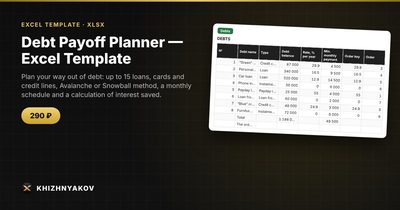
The Debt Payoff Planner is a paid Excel template that builds this schedule for you.
- "Settings": choose "Avalanche" or "Snowball", set your total monthly debt budget and first payment date, and get a check that the money covers the minimum payments.
- "Debts": up to 15 debts (loans, cards, credit lines) with name, type, balance, rate and minimum payment. For each debt you see the payoff order, time to payoff and payoff date, interest and savings.
- "Schedule": a monthly plan for 120 months with a breakdown by debt, compared with paying only the minimums.
- "Summary": time to become debt-free, total interest, interest saved and two charts.
It works in Excel 2007 and later and in LibreOffice, without macros. Interest is calculated monthly on the balance; fees, insurance and penalties aren't included, so check exact amounts against your lender's statements.
FAQ
Which method should I choose?
If you are confident you'll stick to the plan, avalanche saves the most. If you have tried before and lost motivation, snowball's early wins may be worth a small extra cost. Run both and compare the difference in your own numbers.
Should I consolidate my debts instead?
A consolidation loan at a lower rate can reduce interest, but check fees and the term. Then apply the same rule: fixed budget, no new debt.
What if I get a bonus or tax refund?
Put it toward the priority debt. A one-time payment shortens the plan for every debt behind it.
Does the minimum on a credit card stay the same?
Often it falls as the balance falls. For planning, keep paying at least your current minimum; that only speeds things up.