KHIZHNYAKOV
How to Calculate Food Cost and Recipe Cost in Excel
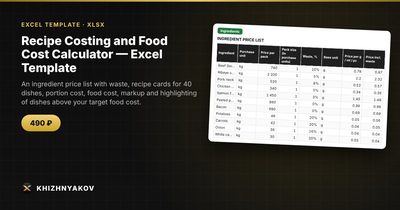
Recipe Costing and Food Cost Calculator — Excel Template — Open the template →
Ingredient prices change every few weeks, while menu prices change once or twice a year. Somewhere in between, a popular dish can quietly turn from a money-maker into a break-even item, and nobody notices until the monthly numbers come in.
Recipe costing fixes that. You keep one ingredient price list, write a recipe card for each dish with net quantities, and Excel calculates plate cost, food cost percentage and the price you need to charge. Here is the method, including the part most people skip: waste.
Key terms
- Plate cost (portion cost): the cost of all ingredients in one serving.
- Food cost % = plate cost / menu price (excluding sales tax).
- Markup = menu price / plate cost − 1.
- Target food cost: the percentage you aim for. Many full-service restaurants aim for roughly 28–35%, but the right number depends on your concept and labor costs.
Step 1. An ingredient price list
One row per ingredient: name, unit, pack size, pack price, waste %. The price per unit is pack price / pack size.
| Ingredient | Unit | Pack size | Pack price | Waste |
|---|---|---|---|---|
| Salmon fillet | oz | 16 | $13.50 | 10% |
| Lemons | pcs | 12 | $4.80 | 0% |
| Asparagus | oz | 16 | $4.20 | 25% |
Salmon: $13.50 / 16 = $0.844 per oz.
Step 2. Account for waste (yield)
Trimming skin, bones, peels and stems means you pay for more than ends up on the plate. Price per usable unit = price per unit / (1 − waste).
Salmon with 10% waste: $0.844 / 0.9 = $0.938 per usable oz.
Asparagus with 25% waste: $0.2625 / 0.75 = $0.35 per usable oz. Ignoring waste would understate its cost by a third.
Measure waste yourself once or twice: weigh before and after prep. Generic yield tables are a starting point, but your cuts and suppliers differ.
Step 3. Recipe cards with net quantities
On each card, list ingredients with the net amount per portion, what actually goes on the plate. Look up the price per usable unit:
=VLOOKUP(A5,Ingredients!$A:$G,7,FALSE)*B5
Example: grilled salmon
| Ingredient | Net qty | Cost |
|---|---|---|
| Salmon fillet | 6 oz | $5.63 |
| Asparagus | 4 oz | $1.40 |
| Lemon | 0.25 pcs | $0.10 |
| Butter, herbs, oil | $0.35 | |
| Plate cost | $7.48 |
Step 4. Food cost and price
With a menu price of $26: food cost = 7.48 / 26 ≈ 28.8%. Markup = 26 / 7.48 − 1 ≈ 248%.
The price needed for a target food cost: price = plate cost / target. For 30%: 7.48 / 0.30 = $24.93, so $26 is comfortably within target. Round to a menu-friendly price with =CEILING(price,1).
Step 5. Check the whole menu
Put all dishes in one table sorted by food cost, and highlight those above target with conditional formatting. Look at both percentage and dollar profit: a steak at 38% food cost may still earn more dollars per plate than pasta at 22%. Averages by category (starters, mains, desserts, drinks) show where the menu is weakest.
Step 6. Update prices regularly
When a supplier invoice changes, update only the price list. Every recipe card that uses that ingredient recalculates. This is the main reason to do costing in a spreadsheet rather than on paper.
Common mistakes
- Costing gross weight as net. Use what ends up on the plate and handle waste in the price.
- Forgetting "small" items. Oil, garnish, sauces and bread can add $0.50–1.50 per plate.
- Typos in ingredient names. A misspelled name returns nothing in VLOOKUP and the dish looks cheaper than it is. Use drop-down lists and an error check.
- Including sales tax in the menu price. Calculate food cost on the net price.
Ready-made template: Recipe Costing and Food Cost Calculator
The Recipe Costing and Food Cost Calculator is a paid Excel template built around this method.
- "Settings": target food cost, a "borderline" tolerance, price rounding step and menu categories.
- "Ingredients": a price list for 150 items with pack price, size and processing waste; the price per gram (millilitre or piece) is calculated automatically. Pieces work too: a pack of 10 eggs is a pack size of 10.
- "Dishes": up to 40 recipe cards with 12 ingredients each by net weight, with portion cost, food cost, markup, profit, the price for your target food cost and a name check that shows "not in price list" if an ingredient is misspelled.
- "Menu summary": all dishes ranked by food cost, averages by category, and a food cost chart with a target line. Dishes above target are highlighted in red.
The template works in metric units, so convert pound and ounce prices to grams on entry (1 lb ≈ 453.6 g). It runs in Excel 2007 and later and in LibreOffice with no macros. The calculation is indicative.
FAQ
What is the difference between food cost and plate cost?
Plate cost is a dollar amount for one serving. Food cost is that amount as a percentage of the menu price.
Should I include labor in recipe costing?
Classic food cost covers ingredients only. Labor is tracked separately as labor cost %, and together they form "prime cost," which many operators watch closely.
How often should I recost the menu?
Update the price list whenever invoices change noticeably, and review the whole menu at least quarterly or before reprinting it.
Why does my actual food cost differ from the theoretical one?
Recipe costing gives theoretical food cost. Real numbers also include over-portioning, spoilage, staff meals and comps. A gap of a few points is a signal to check portions and inventory.