KHIZHNYAKOV
How to Make a Habit Tracker in Excel
Monthly Habit and Task Tracker — Excel Template — Download free →
Habits stick when you can see them. A row of green squares is oddly motivating: after a week you don't want to break the chain. Paper trackers work, but they can't count percentages or streaks for you, and they are gone when the notebook fills up.
An Excel habit tracker takes fifteen minutes to build. You will make a monthly grid, color days automatically, calculate completion without counting future days, track streaks and add a task list with deadlines.
Step 1. The monthly grid
Habits go down column A, days 1–31 across the top (columns C to AG). Column B can hold a monthly goal, for example "20 days."
| Habit | Goal | 1 | 2 | 3 | 4 | 5 |
|---|---|---|---|---|---|---|
| Read 20 minutes | 20 | 1 | 1 | 1 | 1 | |
| Walk 8,000 steps | 25 | 1 | 1 | 1 | ||
| No phone after 10 pm | 20 | 1 | 1 | 1 | 1 |
Put the month and year at the top (e.g. a real date in cell C1 like 10/1/2026). Day headers can then be real dates: =C1, =C2+1, formatted to show only the day number. Gray out columns past the end of the month with conditional formatting: =MONTH(AF$2)<>MONTH($C$1).
Pick 3–7 habits. Twenty is possible, but most people succeed with fewer.
Step 2. Turn checked days green
Select the grid, then Home → Conditional Formatting → New Rule → "Format only cells that contain" → Cell Value → not equal to → leave empty, or use the formula rule =C3<>"". Choose a green fill. Now typing 1 (or x) in any cell colors it.
Step 3. Completion percentage that ignores the future
Dividing by 31 on the 10th makes everyone look like a failure. Count only days so far:
- Days done:
=COUNTA(C3:AG3) - Days elapsed:
=MIN(DAY(TODAY()),DAY(EOMONTH($C$1,0)))for the current month - Percentage:
=days_done/days_elapsed
On the 24th, reading on 18 days gives 18 / 24 = 75%.
For past months, days elapsed is simply the number of days in the month: =DAY(EOMONTH($C$1,0)).
Step 4. Goal reached?
=IF(days_done>=B3,"Goal reached","") gives a clear yes/no. Combine it with a data bar on the percentage column for a quick visual.
Step 5. Streaks
Streaks need a helper row below each habit. In the helper cell under day 1: =IF(C3<>"",1,0). Under day 2: =IF(D3<>"",C4+1,0), and fill across. Each cell now shows the streak length up to that day.
- Best streak:
=MAX(C4:AG4) - Current streak: the helper value for today's column, found with INDEX:
=INDEX(C4:AG4,DAY(TODAY()))
Hide the helper rows if they clutter the view.
Step 6. A task list next to the habits
Habits are recurring; tasks are one-off. Keep them on a separate sheet with: Task, Priority (High, Medium, Low), Due date, Status (To do, In progress, Done).
Highlight overdue tasks with conditional formatting: =AND($C2<TODAY(),$D2<>"Done"). Sort by priority, then by due date.
Step 7. A monthly summary
A small summary block shows the average percentage across habits, the best and the weakest habit (MAX and MIN with INDEX/MATCH), the number of open and overdue tasks, and a line chart of how many habits you completed each day. That chart makes patterns obvious, like weekends where everything falls apart.
Common mistakes
- Too many habits at once. Start with three, add more after a good month.
- Vague habits. "Exercise more" is hard to check; "walk 8,000 steps" is not.
- Judging the month on day 5. Use the percentage of days elapsed.
- Deleting the history. Copy the file or sheet for each month instead of clearing it, so you can compare.
Ready-made template: Monthly Habit and Task Tracker
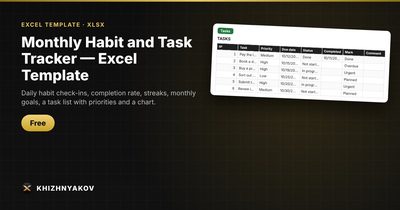
The free Monthly Habit and Task Tracker template is ready to use in a minute.
- "Tracker": choose the month and year, list up to 20 habits across 31 days, set goals and see streaks. Put "1" (or any character) in a day's cell and it turns green.
- The percentage is calculated over the days of the month so far, so future days don't drag it down.
- "Tasks": up to 100 tasks with priority, due date, status and overdue highlighting.
- "Summary": the average percentage, best and lagging habits, tasks and a day-by-day chart.
To start a new month, choose it at the top and clear the check marks, or make a copy of the file. It works in Excel 2007 and later and in LibreOffice, with no macros.
FAQ
How long does it take to form a habit?
It varies a lot by person and habit; simple ones stick faster than demanding ones. Rather than counting days, aim for a high completion rate over several months.
What if I miss a day?
Missing one day barely matters; missing two in a row is where habits tend to fade. Look at the percentage, not just the streak.
Can I track habits that aren't daily?
Yes. Set a lower monthly goal, for example 12 days for the gym three times a week, and judge success by the goal rather than the streak.
Should I track habits I want to stop?
Yes, phrase them positively so a check mark is always good news: "no sugary drinks" or "no phone after 10 pm." Mixing "did it" and "avoided it" logic in one grid gets confusing.