KHIZHNYAKOV
How to Do a Stocktake (Inventory Count) in Excel
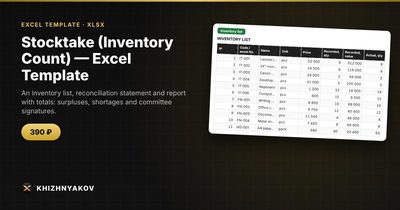
Stocktake (Inventory Count) — Excel Template — Open the template →
The counting is the easy part of a stocktake. What makes it exhausting is the paperwork afterwards: matching the counts to the records, working out which items are over or under, putting values on the differences and producing a statement that a manager or committee can sign.
Excel handles that well if you set it up once. This guide covers a method that works for a shop, a warehouse, an office with equipment or a small organisation.
Step 1: Prepare the count sheet
Export or build a list of everything the records say you should have: item code, name, unit, recorded quantity and unit price. Add an empty “Actual quantity” column. Sort the list in the order that people will physically walk through the storeroom, not alphabetically, because it speeds up counting considerably.
Record the stocktake details at the top: organisation, date, location, who is counting and who is the custodian.
Step 2: Count and enter the actual quantity
Count blind where you can: counters who see the expected quantity tend to confirm it. Have two people count high-value items. If you cannot finish in one session, leave the “Actual” cell empty for unchecked items rather than typing zero. A zero means “we counted and found none”, while an empty cell means “not counted yet”.
Step 3: Calculate differences
Add three columns. Difference in units, with empty cells ignored:
=IF(F2="","",F2-E2)
Difference in value:
=IF(G2="","",G2*H2)
Status:
=IF(F2="","Not counted",IF(G2>0,"Surplus",IF(G2<0,"Shortage","OK")))
If the actual count is greater than the recorded one, it is a surplus. If it is less, it is a shortage. Here is a small example:
| Item | Recorded | Actual | Price | Difference | Value |
|---|---|---|---|---|---|
| Printer paper (ream) | 120 | 114 | 4.50 | -6 | -27.00 |
| Toner cartridge | 8 | 8 | 62.00 | 0 | 0.00 |
| USB cable | 40 | 43 | 2.00 | +3 | +6.00 |
| Stapler | 15 | 12 | 7.50 | -3 | -22.50 |
Total shortages are $49.50, total surpluses are $6.00 and the net result is a shortage of $43.50. Three of the four lines have discrepancies, and a share of discrepancies is simply =COUNTIF(status,"<>OK")/COUNTA(items).
Step 4: Build the reconciliation statement
The statement lists only items where something is off. In a modern Excel, use =FILTER(range,differences<>0). In older versions, add a helper column that numbers the discrepancy rows (=IF(G2<>0,MAX($J$1:J1)+1,"")) and pull each line with INDEX and MATCH. Add totals for surpluses and shortages in units and in value, then signature lines for the committee.
Step 5: Investigate before you adjust
Differences are not always losses. Before changing the records, check for unposted deliveries, items in the wrong location, duplicated codes and unit mismatches (boxes versus pieces). Recount any large difference. Only after this should the records be corrected.
Common mistakes
- Counting while stock is moving. Freeze receipts and issues during the count, or note them.
- Treating empty cells as zero. It turns uncounted items into huge shortages.
- Mixed units. Make sure the count and the records use the same unit.
- No sign-off. Without signatures, the result is a spreadsheet and not a record.
- Valuing at the wrong price. Decide whether you use purchase price or selling price and say so on the statement.
Ready-made template
The “Stocktake (Inventory Count)” template is a paid file built on this method.
- «Details» holds the organization, order, dates, committee and custodian.
- «Inventory list» takes up to 500 items with recorded and actual quantity.
- «Reconciliation» lists only items with discrepancies, up to 100 rows, ready to print.
- «Totals» shows totals per records and actual, surpluses and shortages, the share of discrepancies and signatures.
Surpluses and shortages are worked out in units and in value, using the item price. You can check in stages, because unchecked items without an actual count are excluded from the discrepancies and the totals show how many remain. These are working forms modelled on the usual ones, not official forms; if you need an approved form, transfer the totals into it. The package includes a blank spreadsheet and a filled-in sample with fictional data. It works in Excel 2007 and later and in LibreOffice, with ordinary formulas and no macros.
FAQ
How often should I do a stocktake?
Fast-moving or high-value stock deserves frequent counts, while a full count once or twice a year is common. Cycle counting, in which you count a different section each week, spreads the work.
What is an acceptable discrepancy?
It depends on the goods. Define a tolerance, for example a share of value, and investigate everything above it.
Can I count with a barcode scanner?
Yes. A scanner can type codes into the sheet, and you can count occurrences with COUNTIF. Without one, count by hand and enter totals.
What should I do with surpluses?
Treat them like shortages: find out why. They usually mean an unrecorded delivery or a mistake in a previous count.