KHIZHNYAKOV
How to Calculate Product Cost and Selling Price in Excel
Cost Calculation — Excel Template for Product Costing — Open the template →
If you make something, whether cakes, candles, furniture, clothes or lunches, then the price on the label is only as good as the cost behind it. Guessing is how small businesses end up busy but broke: the product sells, but the profit is smaller than you think, or it does not exist.
Here is a method to calculate cost properly and turn it into a price.
Step 1: Price your materials per unit
List each material with the unit you buy it in and the price. Convert to the unit you use in recipes: if a 2 kg bag of flour costs $2.40, then a kilogram costs $1.20 and a gram costs $0.0012. Keep this list on its own sheet, because prices change and you want to update them in one place.
Step 2: Write the recipe for a batch
For each product, list the materials and quantities in one batch, then multiply by the price. Take a batch of 24 cookies:
| Material | Quantity | Price per unit | Cost |
|---|---|---|---|
| Flour | 0.5 kg | 1.20 | 0.60 |
| Butter | 0.25 kg | 8.00 | 2.00 |
| Sugar | 0.3 kg | 1.50 | 0.45 |
| Chocolate | 0.4 kg | 15.00 | 6.00 |
| Eggs, packaging, other | 0.55 | ||
| Materials total | 9.60 |
In Excel use =SUMPRODUCT(quantities, prices) or look up each price with VLOOKUP from the materials sheet.
Step 3: Add labor
Time is a cost even if you are the one working. Multiply the minutes by an hourly rate: =minutes/60*rate. If the batch takes 45 minutes at $18 an hour, labor is $13.50. Include everything: preparing, baking, cleaning and packing, not just the active part.
Step 4: Add overheads
Rent, electricity, equipment wear, insurance and software are shared across everything you make. A practical shortcut is to add a percentage. For this example, take 10 percent of materials plus labor:
(9.60 + 13.50) × 10% = 2.31
Total batch cost is 9.60 + 13.50 + 2.31 = $25.41. Divide by the batch yield for the unit cost: 25.41 ÷ 24 = $1.06 per cookie.
Step 5: Set the price
There are two common methods and they are easy to confuse:
- Markup is the percentage added to cost. A 100 percent markup on $1.06 gives $2.12.
- Margin is the percentage of the selling price that is profit. A price of $2.12 on a cost of $1.06 is a 50 percent margin.
Formulas: price = cost × (1 + markup); margin = (price − cost) ÷ price. Do not mix them up, since a 50 percent markup is only a 33 percent margin.
Now account for tax on revenue. If your tax is 6 percent of sales, a $2.12 cookie brings $0.127 in tax. Profit per cookie is 2.12 − 1.0588 − 0.1272 = $0.93, or a margin of 44 percent after tax. How tax works depends on where you live and how you are registered, so check the rules that apply to you.
Step 6: Stress-test it
Raise the flour price by 20 percent and see what happens. Or test a 15 percent discount for wholesale. A cost sheet should answer “what if” in seconds, so keep every price and rate in one cell rather than buried in formulas.
Common mistakes
- Ignoring labor because it is your own time. You will burn out.
- Forgetting waste. Add a few percent for trimmings, failures and spoilage.
- Using last year's prices. Update materials whenever invoices change.
- Confusing markup with margin.
- Copying competitors' prices. They may have lower costs or different goals.
Ready-made template
The “Cost Calculation” template is a paid file that follows this structure.
- «Settings» holds the labor rate, overheads, default markup and tax.
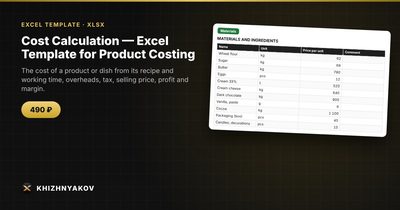
- «Materials» holds the prices of raw materials: change a price and all products are recalculated.
- «Recipe» says what a product consists of and how much goes into a batch.
- «Products» shows batch and unit cost, selling price, profit and margin.
- «Card» and «Summary» give a printable product card and a comparison of products.
Cost is materials plus labor (minutes × rate) plus overheads as a percentage, divided by the batch yield per unit. You can set the price by markup, general or specific to the product, or manually. It suits services too: enter consumables as materials and the main cost through working time. The package includes a blank spreadsheet and a filled-in sample with fictional data. It works in Excel 2007 and later and in LibreOffice, with ordinary formulas and no macros. Calculations are approximate.
FAQ
What is the difference between cost and price?
Cost is what it takes you to make one unit. Price is what the customer pays. The gap must cover taxes, any costs you left out and your profit.
What margin should I aim for?
It depends on your industry and volume. Work backwards from what you need to earn, after labor, to stay in business.
Should I include my own salary?
Yes, as labor. Otherwise you cannot tell whether the business pays you for your time.
How often should I recalculate?
Whenever material prices or your rates change, and at least every few months.