KHIZHNYAKOV
How to Create a Price Quote in Excel (with Price List and Register)
Commercial Quote and Price List — Excel Template — Open the template →
A quote should reach the client quickly and without mistakes. The usual problem is that each one starts from a copy of the last one: prices get stale, a discount is typed over a formula, the total is wrong, and nobody remembers which quotes were sent, which were accepted and which are quietly expiring.
You can fix that with three connected pieces: a price list, a line-items table and a register of quotes. Here is how.
Step 1: Create the price list
One row per product or service: code, description, unit and price. The code is what you will use to pull the rest, so keep it short and unique.
| Code | Description | Unit | Price |
|---|---|---|---|
| S-101 | Website audit | each | 450 |
| S-210 | Monthly SEO | month | 800 |
| S-305 | Copywriting | page | 120 |
Every price now lives in exactly one place. When it changes, new quotes pick it up.
Step 2: Build the line items
Each line of a quote has: quote number, item code, quantity, discount. The description, unit and price come from the price list with lookups:
=VLOOKUP(B2,PriceList!$A$2:$D$200,2,FALSE)
=VLOOKUP(B2,PriceList!$A$2:$D$200,4,FALSE)
Line total with discount:
=C2*price*(1-discount)
An example quote: one website audit (450) plus three months of SEO at 800 with a 5 percent discount. The SEO line is 3 × 800 × 0.95 = 2,280. The subtotal is 2,730. With 8 percent sales tax or VAT of 218.40, the total is $2,948.40. Use =ROUND(...,2) to keep cents clean.
Step 3: Assemble the printable quote
On a separate sheet, enter a quote number in one cell. Pull the client's details from the register, then list the lines with =IFERROR(INDEX(Items!$C:$C,SMALL(IF(Items!$A:$A=$B$2,ROW(Items!$A:$A)),ROWS($1:1))),""), which is an array formula in older Excel versions. Add your company details, payment terms, lead times and validity at the top or bottom, and set the print area to A4 or Letter.
Step 4: Keep a register
A register with one row per quote is what turns a spreadsheet into a sales tool. Columns: number, date, client, amount, validity in days, valid-until date, status (Draft, Sent, Accepted, Declined).
Valid-until is =B2+E2. A quote is overdue when it was sent and has passed its validity:
=IF(AND(G2="Sent",F2<TODAY()),"Overdue","")
Every morning, filter for overdue and follow up. Many deals are won with one polite message sent just after the deadline.
Step 5: Look at the numbers
- Conversion rate: accepted ÷ sent. If you sent 20 quotes and 7 were accepted, that is 35 percent.
- Average value:
=AVERAGEIFS(amount,status,"Accepted"). - Open pipeline: the sum of "Sent" quotes that have not expired.
These tell you whether you should send more quotes, bigger quotes or better ones.
Common mistakes
- Typing prices into a quote. Always pull them from the price list.
- Overwriting the total with a manual number. It breaks the audit trail.
- No validity date. An open-ended quote is a free option for the buyer.
- Never following up. The register is useless if you do not look at it.
- Mixing drafts and sent quotes. Use the status column.
Ready-made template
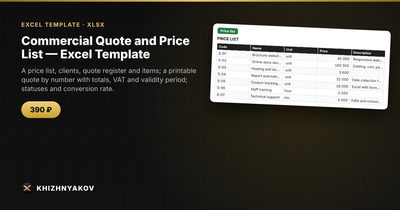
The “Commercial Quote and Price List” template is a paid file that already has this structure.
- «Details» holds the company, contacts, payment terms, lead times and VAT.
- «Price list» and «Clients» hold up to 200 items and 100 clients.
- «Register» and «Items» hold up to 300 quotes and 1500 items, with statuses Draft, Sent, Accepted, Declined.
- «Quote» is a print form by number.
- «Summary» shows quotes and amounts by status, conversion rate, overdue quotes and average value.
To create a quote, add it to the «Register», add items by price list code, then enter the number on the «Quote» sheet and print it on A4. The validity period is the quote date plus the number of days, with a default from «Details», and a quote with the status «Sent» whose validity has passed is marked overdue. Discounts can be given on an item or on the whole quote. The package includes a blank spreadsheet and a filled-in sample with fictional data. It works in Excel 2007 and later and in LibreOffice, with ordinary formulas and no macros.
FAQ
What should a price quote include?
Your details, the client's, a quote number and date, itemised prices, tax, total, payment terms, lead time and how long the offer is valid.
What is the difference between a quote and an estimate?
A quote is generally a fixed price you commit to for a period. An estimate is a rough figure that may change. State clearly which one you are giving.
How long should a quote be valid?
Fourteen to thirty days is common. Shorter if your costs move quickly.
Should I send quotes as Excel or PDF?
PDF. It keeps the layout, hides formulas and prevents accidental edits.