KHIZHNYAKOV
Mortgage Extra Payment Calculator in Excel: How Much Will You Save?
Mortgage with Extra Repayments — Excel Template with Payment Schedule — Open the template →
Before you send an extra $200 a month, or a bonus, to your mortgage lender, it is worth knowing what it will do. Will the loan end years earlier? How much interest will you avoid? Is it better to shorten the term or to lower the monthly payment? Excel can answer all three in minutes.
Step 1: Start with the standard payment
A fixed-rate annuity loan has the same payment every month. Excel's PMT function calculates it:
=-PMT(rate/12, months, amount)
Take a loan of $300,000 at 6.5 percent over 30 years: =-PMT(0.065/12,360,300000) returns $1,896.20. Over 360 payments, you pay $682,633 in total, which is $382,633 of interest on top of the $300,000 you borrowed.
Step 2: Build the schedule
Create a table with one row per month and these columns: payment number, opening balance, interest, principal, extra payment, closing balance.
- Interest:
=B2*rate/12 - Principal:
=payment-C2 - Closing balance:
=B2-D2-E2 - Next month's opening balance: the previous closing balance
In the early years almost the whole payment is interest. In month 1 of the example, interest is $1,625.00 and only $271.20 goes to principal. This is why early extra payments are so powerful: every dollar you repay now stops earning interest for the remaining decades.
Step 3: Add extra payments
Put extra payments in their own column, either a regular amount (such as $200 a month) or one-off sums entered against particular months. The balance falls faster and interest in later rows shrinks. Then count how many months remain until the balance reaches zero.
Here is what the example looks like:
| Scenario | Payments | Total interest | Saved |
|---|---|---|---|
| No extra payments | 360 months (30 years) | $382,633 | n/a |
| $200 extra every month | 277 months (23 years 1 month) | $279,185 | about $103,400 |
| One-off $10,000 after month 12 | 329 months (27 years 5 months) | $332,404 | about $50,200 |
Figures are rounded and use the simplified rate-divided-by-12 method.
Step 4: Shorten the term or lower the payment?
You have two ways to use an extra payment:
- Reduce the term. Keep the monthly payment, so the loan ends sooner. This normally saves more interest, since you keep repaying at the original pace.
- Reduce the payment. Keep the end date, so the payment is recalculated on the lower balance. This is better for cash flow and gives you breathing room if your income drops.
To model the second option, recalculate the payment after each extra payment: =-PMT(rate/12, remaining_months, balance). Compare the interest totals side by side. Most people choose by asking whether they need a lower monthly commitment or the earliest possible payoff.
Step 5: Check the loan terms
Before sending extra money, check your loan agreement for prepayment penalties, limits on extra payments, and how the lender applies them (does it reduce the balance immediately? does it apply to the principal rather than the next instalment?). Also consider whether another use of the money, such as paying off higher-interest debt or building an emergency fund, would be worth more.
Common mistakes
- Expecting an exact match with the lender. Lenders often calculate interest by actual days, so the simplified monthly method will be close but not identical.
- Forgetting that the rate may change. A variable-rate loan needs a recalculation each time the rate moves.
- Ignoring fees and insurance. They are real costs and are not in the standard formula.
- Treating the total saved as guaranteed. It depends on keeping up the extra payments.
Ready-made template
The “Mortgage with Extra Repayments” template is a paid file that does this without building the schedule yourself.
- “Settings” holds the amount, rate, term up to 360 months, disbursement and first payment dates, and the payment and totals as of today.
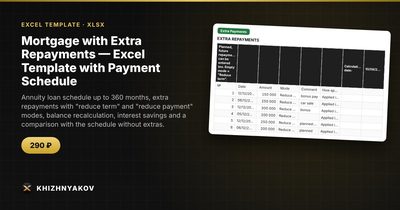
- “Extra Payments” holds up to 60 repayments with date, amount and mode, “Reduce term” or “Reduce payment”; planned repayments can be entered.
- “Schedule” shows each payment: interest, principal, extra repayment and balance, with repayments highlighted in colour and past payments in grey.
- “Schedule No Extras” shows the same loan without extra repayments.
- “Comparison” shows term, payment, overpayment, interest saved and balance by year, with a two-line balance chart.
The download includes a blank template and a filled-in sample with fictitious data. It works in Excel 2007 and later and in LibreOffice, with no macros. It does not take into account floating or changing rates, fees, insurance, payment holidays or a particular lender's recalculation rules, and the calculation is approximate. Always check the result against your loan agreement.
FAQ
Is it better to make a lump sum or small monthly extra payments?
Both reduce interest. A lump sum early in the loan has the largest effect per dollar, but regular small payments are easier to sustain.
Why doesn't my lender's schedule match the spreadsheet?
Lenders often calculate interest on the actual number of days. A simplified calculation divides the annual rate by 12, so results are close but not identical.
Can I use this for car loans or personal loans?
Yes, for any fixed-rate annuity loan with equal payments.
Should I prepay a mortgage or invest?
That depends on your rate, risk tolerance and tax position. Repaying the loan is a guaranteed return equal to your interest rate, which is a useful benchmark.