KHIZHNYAKOV
Book Tracker in Excel: A Reading Log with a Yearly Goal
Book Tracker in Excel — Reading Log and Yearly Goal Template — Open the template →
Many people say they want to read more, and then reach December with no clear idea of how many books they actually finished. A reading log fixes that in a quiet way: it makes your pace visible, so a goal like "24 books this year" stops being a vague wish and becomes a number you can check in April.
This guide shows how to build a simple book tracker in Excel, with the columns that matter, the formulas for progress and forecast, and a few ideas for keeping the habit going.
What to record for each book
You want enough detail to be useful and little enough that you never skip an entry. Eight columns do the job:
| Column | Notes |
|---|---|
| Title and author | Obvious, but keep authors in a consistent format |
| Genre | From a short list you control |
| Pages | Use the page count of your edition |
| Format | Paper, e-book, audiobook |
| Start date | Leave blank for books you have not started |
| Finish date | Leave blank for books still in progress |
| Rating | 1 to 5 |
| Notes | One line is enough |
Let the status work itself out
Do not type "Reading" or "Read" by hand. Derive it from the dates, so it can never get out of date:
=IF(F2<>"","Read",IF(E2<>"","Reading","Planned"))
where E is the start date and F is the finish date. A book with both dates is Read, with only a start date is Reading, with neither is Planned.
You can add two more calculated columns: days spent, =IF(F2<>"",F2-E2+1,""), and reading speed, =IF(F2<>"",C2/(F2-E2+1),"") in pages per day.
Set a goal and track progress
A yearly goal needs three numbers: the target, how many you have finished, and how many days of the year have passed.
A worked example
Suppose your goal is 24 books. On April 30 (day 120 of 365) you have finished 9.
- Progress: 9 / 24 = 37.5%
- Pace so far: 9 books in 120 days, which is one book every 13.3 days
- Forecast for the year: 9 / 120 * 365 = about 27 books
You are ahead of the goal. If you had finished only 5, the forecast would be about 15, and you would know in April, not in December, that you need to read more.
The formulas: finished books this year =COUNTIFS(F:F,">="&DATE(2026,1,1),F:F,"<="&DATE(2026,12,31)), progress =B2/B1 for finished over goal, and forecast =B2/(TODAY()-DATE(2026,1,1)+1)*365.
Look at the breakdown
Two summaries are worth the effort. Books per month, using COUNTIFS with a start and end date for each month, shows when you read most. Books per genre, using COUNTIF on the genre column, shows what you really read, which is often different from what you think you read. The average rating, =AVERAGE(G:G), tells you whether you are choosing well.
Habits that make the log stick
- Update it the same day you finish a book. Waiting a week means you will forget.
- Write the start date when you open the book, not later.
- Keep the goal realistic. A goal that you already know you will miss is discouraging by March.
- Count only what you finished, and decide in advance whether abandoned books count. Many readers log them with a note and leave the finish date blank.
- If you read with a child, track their books in a separate sheet or file, with an easier goal.
Common mistakes
- Typing statuses by hand. They drift out of sync with the dates.
- Mixing years. If you read across New Year, decide that the finish date decides which year a book counts for.
- Free-text genres. "Sci-fi", "SciFi" and "Science fiction" count as three. Use a dropdown.
- Entering pages inconsistently. Pick one rule, such as the printed page count, and keep to it.
Ready-made template
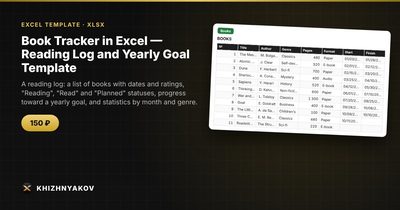
The Book Tracker in Excel is a paid template that sets all of this up. It has three sheets: "Settings" (year, yearly goal, genres), "Books" (up to 300 books with author, genre, pages, format, dates and rating; status, days and reading speed are calculated automatically) and "Summary" (books and pages read, goal progress, forecast, average rating, breakdown by month and genre, and a chart).
Goal progress is the number of books with a finish date in the selected year divided by your goal, and the forecast projects your pace since the start of the year over the whole year. You can use it for a child's reading log too, by changing the genres and the goal. It comes as a blank template plus a filled-in sample with fictitious data. It works in Excel 2007 and later and in LibreOffice, with no macros.
FAQ
Should audiobooks count toward the goal?
That is your decision. Many readers count them, since the story is the point. If you want to keep speed statistics meaningful, record the format and filter by it.
How do I log a book I read twice?
Add a second row with the new dates. It will count as another finished book, so decide beforehand whether rereads count for the goal.
What is a reasonable yearly goal?
Look at last year. If you finished 12 books, a goal of 15 is a stretch and 30 is a fantasy. Raise it gradually.
Is a spreadsheet better than a reading app?
An app is quicker for scanning barcodes, but a spreadsheet gives you full control over statistics, no account and no ads, and the file is yours.