KHIZHNYAKOV
Sales Bonus Calculator in Excel: Targets, Scale and Payout
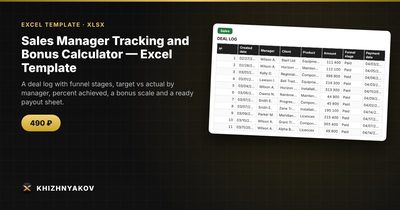
Sales Manager Tracking and Bonus Calculator — Excel Template — Open the template →
Sales bonuses have a way of causing arguments. A manager thinks they sold more than the sheet says. The accountant has a different export. The head of sales applied a rate from last quarter. Every month someone spends hours reconciling, and everybody leaves slightly unhappy.
Most of the pain goes away when the rules are written down once, the data lives in one table, and the bonus is calculated by formulas rather than by hand. This guide shows how to do that in Excel: the deal log, the target comparison, the bonus scale, and a worked payout example.
Step 1: one deal log
Every deal is one row. The minimum columns:
| Column | Example |
|---|---|
| Created date | 10/04/2026 |
| Manager | Emma |
| Client | Northwind Ltd |
| Product | Annual license |
| Amount | $8,500 |
| Stage | Paid |
| Payment date | 10/21/2026 |
The most important design decision is what counts as "actual". Choose it explicitly and write it in the file. A common and fair rule: a deal counts toward the manager's actual only when it is at the stage Paid and its payment date falls in the calculation month. A deal with no payment date does not count. That one rule ends a large share of disputes, because everyone can see why a deal was or was not included.
Add a check column that flags incomplete rows, for example =IF(AND(F2="Paid",G2=""),"Add payment date","").
Step 2: compare actual with target
For each manager, you need the monthly target and the actual:
=SUMIFS(Sales!E:E,Sales!B:B,A2,Sales!F:F,"Paid",Sales!G:G,">="&start,Sales!G:G,"<="&EOMONTH(start,0))
where start is the first day of the month. Achievement is =actual/target.
Step 3: a bonus scale
Instead of one flat rate, a scale rewards over-performance and avoids paying full rate for a weak month. Write it as a small table:
| From % of target | Rate |
|---|---|
| 0% | 0% |
| 70% | 1.5% |
| 90% | 2.5% |
| 100% | 3.5% |
| 120% | 5% |
The rule: take the highest rate whose threshold has been reached. In Excel, =LOOKUP(achievement,scale_from,scale_rate) does this when the thresholds are sorted ascending. Bonus equals actual times rate, and total payable equals base salary plus bonus.
A worked example
Emma has a target of $40,000, a base salary of $3,000, and paid deals of $46,000 in October.
- Achievement: 46,000 / 40,000 = 115%
- Rate from the scale: 3.5% (above 100%, below 120%)
- Bonus: 46,000 x 3.5% = $1,610
- Total payable: 3,000 + 1,610 = $4,610
Tom has the same target and $34,000 paid. Achievement is 85%, the rate is 1.5%, the bonus is $510, and the total is $3,510. Both calculations take seconds, and both can be explained in one sentence.
Step 4: add pipeline and funnel
The payout is backward-looking. To manage, you also want to see what is coming. Count deals by stage for those created in the month (for example New, Proposal, Negotiation, Paid, Lost) with COUNTIFS and SUMIFS, and compute conversion to payment: paid deals divided by created deals. The open pipeline per manager is the sum of amounts at stages that are not Paid or Lost. This gives you a basic funnel without a CRM.
Common mistakes
- Rates that nobody wrote down. Keep the scale in the file, visible to everyone.
- Counting by created date instead of payment date. You then pay bonuses on money that may never arrive.
- Changing the rules retroactively. Agree the scale before the month starts.
- Hiding formulas in hand-typed numbers. If anyone overwrites a result cell, the file silently stops being reliable.
- Ignoring refunds. Decide what happens to a bonus when a payment is refunded, and write it into the policy.
Ready-made template
The Sales Manager Tracking and Bonus Calculator is a paid Excel template that follows this logic. It has four sheets: "Lists" (managers with targets and base salary, the bonus scale, products and the calculation month), "Sales" (up to 1000 deals with created date, manager, client, product, amount, funnel stage, payment date and a completeness check), "Payout" and "Summary".
The "Payout" sheet shows, for each manager, the target, actual, achievement, a traffic light, the scale rate, bonus, base salary, total payable, open pipeline and conversion. The "Summary" gives the funnel by stage, paid sales by month of the year and three charts. Only deals at the stage "Paid" with a payment date in the calculation month count toward actual. Rates and thresholds are set in the parameters; check them against your compensation policy. It does not calculate taxes or contributions, and the result is indicative. It works in Excel 2007 and newer and in LibreOffice, with no macros.
FAQ
Should I use a flat rate or a scale?
A flat rate is simple to explain. A scale motivates people to exceed the target. If you are starting out, a three-step scale is enough.
How do I treat part-paid deals?
Either count each payment as its own row with its own date, or count the deal only when fully paid. Pick one and write it in your policy.
Can I pay a bonus on gross margin instead of revenue?
Yes, but you then need cost data per deal. Add a cost column and base the actual on margin. Many small businesses stay with revenue for simplicity.
What about team bonuses?
Add a second table for team totals and a separate scale. Keep personal and team bonuses in separate columns so the logic stays visible.