KHIZHNYAKOV
How to Make a Cleaning and Household Chores Schedule in Excel
Cleaning and Household Chores Schedule in Excel — Who Does What and When — Open the template →
Daily chores take care of themselves, because the dishes get loud. The trouble is the rare ones: cleaning the oven, washing windows, defrosting the freezer, flipping the mattress, changing the water filter. Nobody remembers when they were last done, and nobody is quite sure whose job they are.
A chores spreadsheet fixes both problems. It remembers when each job was last done, works out when it is due next, and makes the split between people visible, which cuts down on arguments in a shared flat or a busy family.
Step 1: List every chore with a frequency
Make a table with one row per chore: room, chore, person responsible, frequency in days and date last done. Be honest about frequencies. A realistic list beats an ideal one that nobody follows.
| Chore | Room | Who | Every (days) | Last done |
|---|---|---|---|---|
| Vacuum floors | Whole home | Sam | 7 | 10/28/2026 |
| Clean bathroom | Bathroom | Jo | 7 | 10/24/2026 |
| Change bed linen | Bedroom | Jo | 14 | 10/20/2026 |
| Clean fridge | Kitchen | Sam | 30 | 10/05/2026 |
| Wash windows | Whole home | Sam | 90 | 8/15/2026 |
Use days (7, 14, 30, 90) rather than words like “weekly” or “quarterly”, so the formulas can use them directly.
Step 2: Calculate the next due date and status
Next due is the last-done date plus the interval: =E2+D2. A status formula tells you what needs attention. Give yourself a warning period, say two days, stored in a settings cell:
=IF(F2<ReportDate,"Overdue",IF(F2-ReportDate<=Warning,"Due soon","OK"))
With a report date of November 1, the bathroom was due on October 31 and shows “Overdue”. Bed linen is due November 3 and shows “Due soon”, and the vacuuming is due November 4, so it shows “OK” with a two-day warning. Windows were last done on August 15; adding 90 days gives November 13, so that is still “OK” for now.
Using a report date cell instead of TODAY() lets you also check what will be due next weekend.
Step 3: Update with one entry
When a chore is done, type the new date in “Last done”. Nothing else needs to change, because the next due date and status recalculate. Do this the same day, even if it is a thirty-second job. A schedule you only update once a month is wrong most of the time.
Step 4: Make the split visible
The point is fairness, so add a small summary: number of chores per person, number overdue per person. =COUNTIF(C:C,"Sam") gives chores per person, and =COUNTIFS(C:C,"Sam",G:G,"Overdue") shows what is overdue. If you give each chore a realistic effort rating (for example minutes per time), you can also work out minutes per week per person: =SUMPRODUCT(minutes/interval_days)*7 for each person's chores. Rare, heavy chores count for more than they seem.
Step 5: Review every few months
Seasons change what needs doing. Add autumn gutter cleaning and spring window washing, drop chores you never do, and rebalance when someone's schedule changes. Five minutes every quarter keeps the list honest.
Common mistakes
- Making the list too long. If you have 80 chores, most will get ignored. Group similar ones.
- Assigning by default. The person who notices the mess ends up doing everything. Give each chore an owner.
- Resetting the clock to the due date. If a chore is done late, count from the real date.
- Not logging partial jobs. If you only did half the windows, record a shorter interval for the rest.
Ready-made template
The “Cleaning and Household Chores Schedule” template is a paid spreadsheet that already has this set up.
- “Settings” holds the report date, the warning period, rooms and people.
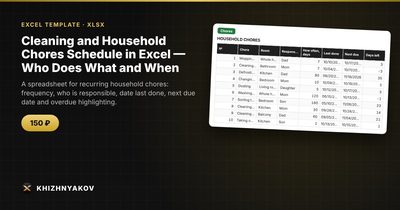
- “Chores” holds up to 80 chores with room, person responsible, frequency and last done; the next due date and status are calculated automatically.
- “Summary” shows what is overdue, the workload by person, and a chart.
The interval in days is added to the date last done; if the due date has passed, the status becomes “Overdue”. The download includes a blank template and a filled-in sample with fictitious data so you can see how it behaves. It works in Excel 2007 and later and in LibreOffice, with ordinary formulas and no macros, and the intervals and thresholds are yours to change.
FAQ
How often should I clean each room?
There is no standard. Kitchens and bathrooms usually need attention weekly, floors once or twice a week, and bedrooms every one to two weeks. Adjust for pets, children and how busy the room is.
How do I share chores fairly?
Count chores and estimated time per person, not just the number of tasks. Swap the heavy, unpopular jobs on a rotation.
Should kids be on the list?
Yes, with age-appropriate jobs. Seeing their name and a due date works better than being reminded verbally.
What if we do not want to use a spreadsheet every day?
Look at it once a week, for example on Saturday morning, and plan the weekend's jobs from the “Due soon” and “Overdue” items.