KHIZHNYAKOV
How to Make a Fair Duty Roster in Excel
Duty Roster in Excel: Swaps, Workload and Print Form — Open the template →
A duty roster looks simple until you try to make it fair. Somebody is on vacation for the second week, two people swap without telling you, one person gets three holidays in a row and everyone else notices. The roster is then argued about rather than followed.
This guide covers a roster of responsible people on duty, such as an on-duty administrator in an office, a floor duty officer in a school or hospital, or holiday cover. It is not a rotating shift pattern like 2-on/2-off. The task is to assign one or two named people to each date and show that the workload is fair.
Step 1: Build the staff and availability lists
Start with a Staff table: name, job title, phone and a flag for whether the person takes part in duty at all. Add an Availability table with name, from, to and reason (vacation, sick leave, business trip, training).
Step 2: Create the calendar
List every date in the period, one per row, with columns for day of week, day type (workday, weekend, public holiday), the person on duty, and a check column. You can compute day type like this:
=IF(COUNTIF(Holidays!$A:$A,A2)>0,"Holiday",IF(WEEKDAY(A2,2)>5,"Weekend","Workday"))
Step 3: Check every assignment
Add formulas that flag trouble the moment you pick a name:
- Nobody assigned:
=IF(C2="","Nobody on duty","") - Two days in a row:
=IF(AND(C2<>"",C2=C1),"Two days in a row","") - Unavailable:
=IF(COUNTIFS(Avail!$A:$A,C2,Avail!$B:$B,"<="&A2,Avail!$C:$C,">="&A2)>0,"Unavailable","")
A drop-down list of staff names in the person column keeps names consistent so these checks work.
Step 4: Measure fairness
Fairness does not mean everyone gets the same number of duties. It means everyone gets a share proportional to the days they are available. Here is an example with a 30-day month, one person on duty per day, and four people:
| Person | Days available | Expected duties |
|---|---|---|
| Ana | 30 | 8.2 |
| Ben | 30 | 8.2 |
| Chloe | 30 | 8.2 |
| Dev | 20 (10 days on vacation) | 5.5 |
There are 30 duty slots and 110 available person-days in total, so the expected number for each person is =TotalSlots*DaysAvailable/SUM(DaysAvailable). Dev's expectation is 30 × 20 ÷ 110 = 5.5. Compare each person's actual count with the expectation: =COUNTIF(Schedule!C:C,A2)-C2. Anything more than a duty or so above is overloaded. Anything well below is underloaded.
Weekends and holidays are heavier than workdays, so also count them separately with COUNTIFS on the day type, and check that nobody has all of them.
Step 5: Record swaps without losing the plan
When two people swap, do not overwrite the original. Keep a separate Swaps table (date, original person, replacement) and have the final column use the replacement if one exists:
=IFERROR(INDEX(Swaps!$C:$C,MATCH(A2,Swaps!$A:$A,0)),C2)
You then have both the plan and what actually happened, and the hours count reflects reality.
Common mistakes
- Counting duties without hours. Weekday, weekend and holiday duty can have different hours.
- Ignoring availability when measuring fairness. Someone on three weeks of vacation will always look “underloaded”.
- Assigning from memory. Use the checks.
- Not printing it. A roster that cannot be signed and posted is usually not followed.
Ready-made template
The “Duty Roster” template is a paid file built around this process. It is a roster of responsible people on duty, not a cyclical shift schedule.
- «Settings» sets the period (up to 92 days), one or two people on duty per day, the ban on duty on adjacent days, duty hours for a workday, weekend and holiday, and the allowed workload deviation.
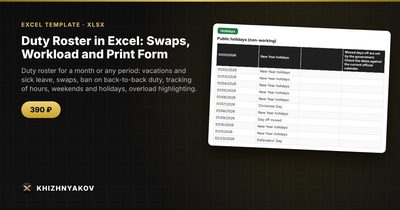
- «Holidays» holds a reference list of public holidays for 2026 and 2027, which you can edit.
- «Staff» holds up to 100 people with job title and phone.
- «Availability» holds vacations, sick leave, business trips and training.
- «Schedule» checks each day: nobody on duty, unavailable, two days in a row, twice in one day.
- «Swaps» applies a replacement automatically while the plan stays visible.
- «Summary» shows duties, hours, weekends and holidays per person, the expected number, the deviation and a status of overloaded, underloaded or normal.
- «Print schedule» is a form with “Prepared by”, “Approved”, phones and a signature column.
A sample with fictional data comes as a separate file. It works in Excel 2007 and later and in LibreOffice and needs no macros. Moved working Saturdays and shortened pre-holiday days are not accounted for.
FAQ
How do I make a duty roster fair?
Compare each person's actual duties with an expected number based on their available days, and give extra weight to weekends and holidays.
Can I forbid duty on consecutive days?
Yes. The simple check above flags any person who appears on two adjacent dates, and a good template makes it a setting you can switch on or off.
How long should a roster period be?
A month is the most common, but a quarter, a school break or a single week works the same way.
Does it work for a school or hospital?
Yes, as long as you are assigning responsible people by date. Rules on pay and mandatory weekend or holiday duty come from your local rules and policies, not from the spreadsheet.