KHIZHNYAKOV
How to Make a Monthly Shift Schedule in Excel (2/2, 5/2, 6/1)
Shift Schedule Planner — Excel Template — Open the template →
Typing D, N and days off into a grid by hand is slow, and every sick call or swap means rechecking the whole month. A better approach is to describe each employee's pattern once, such as “two days on, two days off”, and let Excel fill the calendar. Exceptions like leave and swaps are entered separately.
Here is how to do it, including hours, night hours and coverage.
Step 1: Write patterns as text
Each pattern is a short string that repeats. Use D for a day shift, N for a night shift and a hyphen for a day off:
| Pattern | String | Cycle length |
|---|---|---|
| 2/2 with day shifts | DD-- | 4 days |
| 2 days, 2 nights, 4 off | DDNN---- | 8 days |
| 24 hours on, 72 off | D--- | 4 days |
| 5/2 | DDDDD-- | 7 days |
| 6/1 | DDDDDD- | 7 days |
For each employee, store the pattern and a cycle start date (the day that pattern's first character applies).
Step 2: Fill the calendar with one formula
Put the dates of the month across the top. For each employee and date, pick the character at the right position:
=MID($C5,MOD(F$4-$D5,LEN($C5))+1,1)
Here C5 is the pattern, D5 is the cycle start date and F4 is the date. The MOD expression produces 0, 1, 2 and so on, wrapping around the length of the pattern. Copy it across 31 columns and down for every employee. Hide any day that falls outside the month.
Step 3: Add leave and swaps as exceptions
Keep the pattern clean. Add an Edits table with employee, date and type (annual leave, sick leave, business trip, swap, cancellation). Then wrap the formula:
=IFERROR(INDEX(Edits!$C:$C,MATCH(1,(Edits!$A:$A=$B5)*(Edits!$B:$B=F$4),0)),MID(...))
(array-entered in older Excel). The pattern stays visible underneath, and you can always see what was changed and why.
Step 4: Count shifts, hours and night hours
Shifts are =COUNTIF(F5:AJ5,"D")+COUNTIF(F5:AJ5,"N"). Hours are shifts multiplied by shift length. Night hours are the overlap between the shift and the night window, which means a clock calculation. For example, a 12-hour night shift from 20:00 to 08:00 overlaps a 22:00–06:00 night window by eight hours, so each night shift counts for 8 night hours.
Compare with the monthly norm. November 2026 has 21 weekdays, so at 8 hours a day the norm is 168 hours. An employee on a 2/2 pattern with 12-hour shifts works about 15 shifts in a 30-day month, which is roughly 180 hours: about 12 above the norm. That variance is what you want to see per person.
Step 5: Check coverage
Count people per shift per day: =COUNTIF(F$5:F$104,"D"). Compare with a minimum in a settings cell and colour days red when coverage falls short. This check alone catches most scheduling errors, such as two sick calls on a day with a bare minimum.
Other useful checks are too many shifts in a row, overlapping shifts and enough weekly rest. Rest rules vary by country and employer, so treat anything the spreadsheet says as a warning and verify it against your local rules.
Common mistakes
- Overwriting the formula with leave. Keep exceptions separate.
- Forgetting the cycle start date. Two employees with the same pattern but different start dates will cover different days, which is how you stagger teams.
- Ignoring holidays in the norm. Public holidays reduce the monthly norm.
- Not accounting for shifts that cross midnight. Hours belong to two dates.
Ready-made template
The “Shift Schedule Planner” template is a paid file with all of this built in.
- The Settings sheet holds the month and year, hours per shift, night time (start and end), D/N/F shift start times, editable cycle patterns and the minimum people per shift.
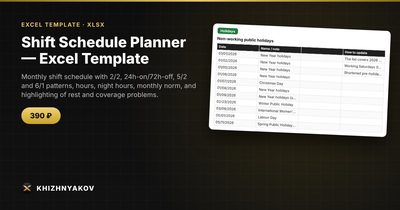
- The Holidays sheet holds non-working days for 2026 and 2027, used by the “5/2 by calendar” pattern and the hours norm.
- The Schedule sheet takes up to 100 employees with a 31-day calendar, totals (shifts, hours, night hours, days off, absences), the hours norm and variance, and a Check column.
- The Edits sheet is where only exceptions go: shift swap, annual leave (AL), sick leave (S), business trip (BT), shift cancellation.
- The Coverage sheet shows how many people are on shift each day, with understaffed days highlighted.
It also highlights more than the set number of shifts in a row, overlapping shifts and a lack of continuous weekly rest. The rest check is approximate, and working Saturdays and shortened pre-holiday days are not included in the hours norm. It works in Excel 2007 and newer and in LibreOffice and uses no macros.
FAQ
How do I add my own pattern?
Write it as a string of D, N and hyphens, then give the employee that pattern and a start date.
How do I stagger teams?
Use the same pattern with different cycle start dates. For 2/2, shifting by two days gives a second team that covers the other half.
Why do hours differ from the norm?
Rotating patterns rarely line up with calendar months, so there is always a variance. Many employers balance it over a longer accounting period.
What if someone calls in sick?
Enter it as an exception for that date. The calendar, hours and coverage recalculate, and the coverage check will show if you need a replacement.