KHIZHNYAKOV
How to Create a Preventive Maintenance Schedule in Excel
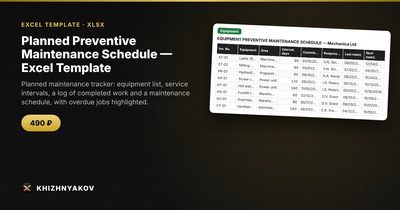
Planned Preventive Maintenance Schedule — Excel Template — Open the template →
Equipment rarely fails without warning. It fails because an oil change slipped by two months, a filter was never replaced or nobody knew who was supposed to inspect the pump. A preventive maintenance (PM) schedule turns that into a list: this machine, this job, due on this date, owned by this person.
You do not need a maintenance management system to start. A spreadsheet that works out due dates from the last service and the interval already gives you most of the benefit.
Step 1: Build the equipment list
Create a table with one row per asset: ID, name, area or location, responsible person, last service date and service interval in days. Where an asset has several maintenance tasks (monthly check, annual overhaul), give each task its own row.
| Equipment | Area | Interval (days) | Last done | Next due |
|---|---|---|---|---|
| Air compressor | Workshop | 90 | 9/15/2026 | 12/14/2026 |
| Forklift | Warehouse | 180 | 6/1/2026 | 11/28/2026 |
| Boiler | Plant room | 365 | 2/10/2026 | 2/10/2027 |
The intervals themselves should come from the manufacturer's documentation and your own experience, not from guesses.
Step 2: Calculate the next due date and status
The next date is the last service date plus the interval: =D2+C2. The compressor was serviced on September 15 with a 90-day interval, so it is next due on December 14.
Status makes the sheet useful:
=IF(E2<TODAY(),"Overdue",IF(E2-TODAY()<=14,"Due soon","OK"))
On November 1, the forklift (due November 28) shows “Due soon” and the boiler shows “OK”. Add conditional formatting to colour overdue red and due soon amber.
Step 3: Keep a work log
Do not overwrite “last done” by hand. Keep a separate log of what was done: date, equipment, what was done, who did it, cost and downtime hours. The last service date is then =MAXIFS(Log!A:A,Log!B:B,equipment). This approach creates a history you can use to see which assets keep failing, and the cost and downtime columns let you summarise the effect by area.
Step 4: Produce the upcoming-work list
The schedule people will actually use is a list sorted by due date, most urgent first. In Excel 365, =SORT(FILTER(...)) does it. In older versions, sort the table by the “Next due” column and filter out “OK”. Print it weekly and put it where the technicians will see it.
Step 5: Review a few numbers
- PM compliance: jobs done by their due date divided by jobs due in the period. 90 percent is a common target, but pick one you can sustain.
- Overdue count by area: shows where the backlog builds up.
- Cost and downtime per area: shows where maintenance money and lost hours go.
Common mistakes
- Intervals by calendar only. Some equipment is better serviced by running hours or cycles. If so, record the usage and convert it into days or notes.
- Resetting the clock from the due date, not the actual date. If a job was done late, the next interval starts from when it was actually done.
- No owner. A job with no name next to it is a job that nobody does.
- Not recording small jobs. Minor repairs are the clearest early warning of a bigger problem.
Ready-made template
The “Planned Preventive Maintenance Schedule” template is a paid file that already has these formulas.
- “Equipment” holds a list of up to 60 pieces with service intervals and the person responsible.
- “Work log” records what was done and when.
- “PM schedule” shows upcoming and overdue planned work, most urgent first, and is set up for printing.
- “Summary” shows costs and downtime by area.
The next date is calculated as the date of the last job plus the interval in days, and entering a job in the log updates the schedule. Overdue jobs are highlighted. The download includes an empty template and a filled-in sample with fictitious data. It is built on ordinary formulas, with no macros, and works in Excel 2007 and later and in LibreOffice. Service intervals are entered by you, so follow the manufacturer's documentation. The calculation is indicative, and the file is not an accounting program.
FAQ
What is the difference between preventive and corrective maintenance?
Preventive maintenance is planned work done at set intervals to avoid failures. Corrective maintenance is the repair after something breaks.
How do I choose service intervals?
Start with the manufacturer's manual. Then adjust using your own failure history and operating conditions.
Do I need software to do this?
Not at the start. A spreadsheet is enough for dozens of assets. When you have thousands of assets, spare-parts stock and work orders, dedicated software starts to make sense.
How far ahead should I look?
A rolling 30-day view for the technicians and a quarterly view for planning budgets and shutdowns is a good balance.