KHIZHNYAKOV
How to Keep a Fire Extinguisher Inspection Log in Excel
Fire Extinguisher Log — Excel Template — Open the template →
A forgotten inspection or recharge is one of the most common remarks during a fire safety check, and it is almost always a matter of record keeping, not neglect. Extinguishers hang quietly on walls for years, and nobody remembers which one was last serviced when. A log in Excel solves that: it calculates the next deadline for every unit and tells you which ones need attention first.
This guide explains how to structure the log, which formulas to use, and a small worked example. It is meant for fire safety officers, facility managers and anyone responsible for a few dozen extinguishers in an office, shop or warehouse.
Step 1: One row per extinguisher
Give every unit an inventory number and record what you need to find it and to calculate its deadline:
| Inv. No. | Type | Room | Location | Responsible | Last charge | Last inspection |
|---|---|---|---|---|---|---|
| FE-014 | Dry powder | Warehouse | Door 2 | S. Novak | 02/10/2025 | 02/10/2025 |
| FE-015 | CO2 | Server room | By entrance | P. Lee | 06/01/2024 | 06/01/2025 |
Use drop-downs for type and room. Typing "powder", "Dry powder" and "ABC" for the same type breaks the lookup in the next step.
Step 2: Keep intervals in a table by type
Different types need different intervals. Put them on a separate sheet:
| Type | Inspection every (months) | Recharge every (months) |
|---|---|---|
| Dry powder | 12 | 60 |
| CO2 | 12 | 60 |
| Water | 12 | 36 |
These numbers are only illustrations. The real intervals come from the extinguisher's data sheet, the manufacturer's instructions and your local rules, so fill in what applies to you. Keeping them in a table means you can correct them in one place.
Step 3: Calculate the deadlines
Next inspection date, using EDATE to add months:
=EDATE(G2,VLOOKUP(B2,Intervals!$A$2:$C$20,2,FALSE))
Next recharge date:
=EDATE(F2,VLOOKUP(B2,Intervals!$A$2:$C$20,3,FALSE))
The nearest deadline is the earlier of the two:
=MIN(H2,I2)
Days remaining:
=J2-TODAY()
For FE-014, if the last inspection was 10 February 2025 and the interval is 12 months, the next inspection falls on 10 February 2026. If the recharge was the same day with a 60-month interval, the nearest deadline is the inspection.
Step 4: Add a traffic light
Create a status column with a warning window kept in a settings cell, say 30 days:
=IF(K2<0,"Overdue",IF(K2<=Warning,"Due soon","OK"))
Add conditional formatting: red for Overdue, amber for Due soon, green for OK. Sort by days remaining and the most urgent extinguishers rise to the top.
Step 5: A "needs attention" view
Filter the status column to show everything other than "OK", sorted by days remaining ascending. That list is what you take to a service company, and it is the first thing a fire safety inspector would ask to see. In recent Excel versions, you can build this on a separate sheet with SORT(FILTER(...)).
Common mistakes
- Using one interval for all types. Intervals differ by type.
- Typing the next date by hand. Calculate it from the last date so it moves automatically.
- Forgetting relocated units. Update the room when an extinguisher moves.
- Only looking at overdue items. Warn 30 days ahead, or you will always be late.
- Treating the log as proof of an inspection. It is a reminder. Inspections and servicing must be carried out as required, by authorized people.
Ready-made fire extinguisher log
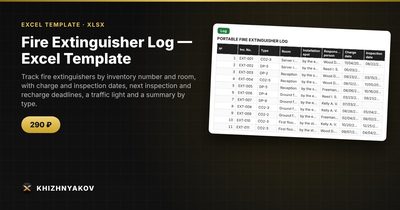
The Fire Extinguisher Log template does this out of the box. The spreadsheet calculates the deadline by extinguisher type, shows the days remaining, highlights overdue units in red and, on a separate sheet, builds a list of what needs to be done first.
There are four sheets. "Settings" holds the calculation date, how many days ahead to warn, inspection and recharge intervals by type (dry powder, CO2, water and others) and a list of rooms. "Log" takes up to 200 extinguishers with inventory number, type, room, installation spot, responsible person, charge and inspection dates, deadlines and a traffic light. "Needs attention" lists overdue and nearly due extinguishers, starting with the most overdue. "Summary" gives counts by type and room, overdue, due soon and OK, and a chart. You can add your own extinguisher type by entering it in a free row of the type table.
It suits fire safety officers, administrators, facility managers, and managers of offices, warehouses and shops. The package contains a blank spreadsheet and a filled-in sample with fictional data. It runs in Excel 2007 and later and LibreOffice, with no macros. This is a paid template. It is a spreadsheet built on ordinary formulas, and the calculation is approximate, so check the intervals and thresholds against your local rules.
FAQ
How often should extinguishers be checked?
It depends on the type, the manufacturer's instructions and local rules. Many organizations do a quick visual check monthly, plus a formal inspection and recharge on longer cycles. Confirm the right schedule for your building.
Who is allowed to service extinguishers?
Servicing and recharging are normally done by qualified providers. Check what your local rules require.
What should I do with a removed extinguisher?
Keep its row, mark it as removed in a note, and take it out of the active count so it does not create false overdue flags.
Do I need a photo of each unit?
Not necessarily, but a note on the exact location helps a replacement colleague find it. A column for the installation spot is enough.