KHIZHNYAKOV
How to Track PPE and Workwear Issues in Excel
PPE and Workwear Issue Tracking in Excel — Excel Template — Open the template →
Personal protective equipment and workwear go out all year round, and each item has its own replacement period. Gloves wear out in a few months, boots last a year or more. If the only record is a signature card in a drawer, you find out something is overdue when a worker complains or an inspector asks.
A tracker in Excel changes this. Each issue is a row, the next replacement date is calculated, and you can see in advance what to order and what it will cost. This guide shows how.
Step 1: Two reference lists
Start with the lists the log will draw from.
PPE list: item, wear life in months, unit cost.
| Item | Wear life (months) | Cost |
|---|---|---|
| Work gloves | 3 | $4.00 |
| Safety boots | 12 | $55.00 |
| Hi-vis vest | 12 | $9.00 |
Employees: name, position, department.
Wear lives in this table are examples. Set the real values according to the rules that apply to your occupations and working conditions.
Step 2: The issue log
One row per issue: employee, item, issue date, quantity. Use drop-downs from the lists, then add lookups:
Wear life: =VLOOKUP(B2,PPE!$A$2:$C$50,2,FALSE)
Next replacement date: =EDATE(C2,E2)
Cost: =D2*VLOOKUP(B2,PPE!$A$2:$C$50,3,FALSE)
Example: Maria receives safety boots on 15 January 2026. Wear life is 12 months, so the next replacement is 15 January 2027. Cost is 1 × $55 = $55.
Step 3: Handle repeat issues correctly
This is where most trackers go wrong. If Maria gets a new pair of gloves every three months, the log has several rows for gloves, and the earlier ones will look overdue forever.
The fix is to base the status only on the latest issue of each item per employee. A formula to test whether a row is the latest:
=IF(C2=MAXIFS(Date,Employee,A2,Item,B2),"Current","Replaced")
Older Excel versions lack MAXIFS; use SUMPRODUCT(MAX((Employee=A2)*(Item=B2)*Date)) instead. Rows marked "Replaced" are ignored in the traffic light.
Step 4: Traffic light
With the warning window in a settings cell (say 30 days):
=IF(F2="Replaced","Replaced",IF(G2<TODAY(),"Overdue",IF(G2-TODAY()<=Warning,"Due soon","OK")))
Highlight overdue in red and due soon in amber. A health and safety officer can filter this column once a week.
Step 5: Costs and the next three months
For costs by department, add a department lookup to the log and use SUMIFS(Cost,Department,"Warehouse").
For the three-month need, count the units whose latest replacement date falls before three months from now:
=SUMIFS(Quantity,Status,"<>Replaced",NextDate,"<="&EDATE(TODAY(),3))
and multiply by cost with SUMPRODUCT or a cost column. This is the number you hand to purchasing.
Common mistakes
- Counting old issues as overdue. Mark earlier rows as replaced.
- Hard-coding wear life in formulas. Keep it in the reference list.
- No link to the employee's department, which makes cost reports impossible.
- Using one wear life for everyone. Conditions differ between workshops.
- Treating the sheet as a legal record. Check which records your local rules require and keep them in the required form.
Ready-made PPE and workwear tracker
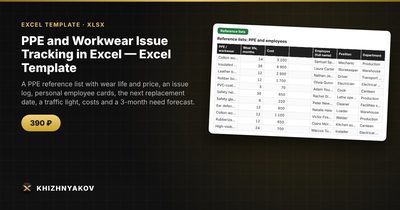
The PPE and Workwear Issue Tracking template does all this. The spreadsheet calculates the next replacement date from the wear life, highlights what needs replacing and shows costs by department and the need for the next three months for ordering.
It has five working areas. "Settings" holds the calculation date, warning N days ahead, cost period and departments. "Reference lists" holds PPE with wear life and cost and a list of employees with positions and departments. "Issue log" takes up to 500 issues with employee, PPE, date, quantity, next replacement date, traffic light and cost. "Personal card" is a printable card for the selected employee, showing all their issues, replacement dates and the total. "Summary" gives costs by department and the three-month need, with a chart. When the same item is issued again, the status is calculated from the latest issue and earlier ones are marked "Replaced".
It suits health and safety officers, storekeepers, facilities managers and heads of production, warehouses, canteens and services. It runs in Excel 2007 and later and LibreOffice, with no macros. This is a paid template. The wear lives and issue norms in the sample are approximate and the calculation is indicative, so check them against the rules that apply to your occupations and working conditions.
FAQ
Can I track items that do not expire, such as helmets?
Yes. Give them a long wear life or the replacement period recommended by the manufacturer, and treat damage as a reason for an early re-issue.
What about seasonal clothing?
Use a wear life that matches the cycle, for example 24 months for winter jackets, and note the season in the item name.
How do I show a return of used items?
Add a note column, or a separate return date, if your procedure requires it. The replacement logic does not depend on it.
Should employees sign something?
Many organizations still use a signed personal card. A printed card from the spreadsheet can serve as a basis, but check what your local rules require.