KHIZHNYAKOV
How to Build a Simple CRM in Excel
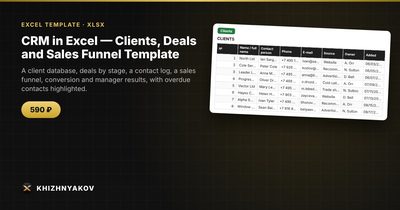
CRM in Excel — Clients, Deals and Sales Funnel Template — Open the template →
You do not need a monthly subscription to keep track of who your customers are and what you have promised them. For a small team, a freelancer or a consultant, a well-structured spreadsheet covers about 80 percent of what a CRM does: who the client is, what the deal is, what stage it is in, when you need to follow up and what you expect to earn.
The catch is structure. Most failed spreadsheet CRMs are a single tab with 30 columns where nobody knows what to fill in. Here is a layout that stays manageable.
Step 1: Separate clients from deals
One client can have several deals over time, so put them in separate tables.
Clients: ID, name, company, email, phone, source (referral, website, event), owner, last contact date.
Deals: ID, client ID, deal name, stage, amount, owner, next contact date.
A third table for Contacts logs each call, email or meeting with date, client ID and a short note. That is your history, and it feeds the “last contact” date: =MAXIFS(Contacts!B:B,Contacts!A:A,A2) (MAXIFS needs Excel 2019 or Microsoft 365; on older versions use an array formula or just type the date).
Step 2: Define your funnel stages and probabilities
Keep stages few and meaningful. A simple set:
| Stage | Probability |
|---|---|
| Lead | 10% |
| Qualified | 25% |
| Proposal sent | 50% |
| Negotiation | 75% |
| Won | 100% |
| Lost | 0% |
The probabilities are your own judgment, so adjust them with real history. If you win roughly one in four proposals, 50 percent is too optimistic for that stage.
Step 3: Calculate expected revenue
Put the stage table in its own range and look up the probability for each deal:
=E2*VLOOKUP(D2,Stages!$A$2:$B$7,2,FALSE)
Here is an example pipeline:
| Deal | Stage | Amount | Probability | Expected |
|---|---|---|---|---|
| Website redesign | Proposal sent | 4,000 | 50% | 2,000 |
| Monthly retainer | Qualified | 10,000 | 25% | 2,500 |
| Training package | Negotiation | 6,000 | 75% | 4,500 |
| Small audit | Lead | 2,500 | 10% | 250 |
The total pipeline is $22,500, but the expected revenue is $9,250. That is the number to plan cash flow around, not the headline total.
Step 4: Build the funnel and conversion rate
Use COUNTIFS and SUMIFS to count deals and total amounts per stage:
=COUNTIFS(Deals!D:D,A2) and =SUMIFS(Deals!E:E,Deals!D:D,A2)
Conversion is won deals divided by all deals that entered the funnel. If 12 of 60 leads became customers, your conversion is 20 percent. Average deal value is =AVERAGEIFS(Deals!E:E,Deals!D:D,"Won"). These two numbers tell you how many leads you need to reach a revenue target.
Step 5: Never miss a follow-up
The best feature of any CRM is the reminder. Add a status column to Deals:
=IF(G2="","No date",IF(G2<TODAY(),"Overdue",IF(G2-TODAY()<=3,"This week","OK")))
Apply conditional formatting so “Overdue” is red, then sort or filter by it every morning. That 30-second habit is worth more than any dashboard.
Common mistakes
- One giant tab. Separate clients, deals and contacts.
- Free-text stages. “Proposal”, “proposal sent” and “Proposal Sent” will break your counts. Use a drop-down list.
- Entering a deal without a next step. Every open deal should have a next contact date.
- Never closing deals out. Mark lost deals as lost, with a reason, or your pipeline total becomes fiction.
Ready-made template
The “CRM in Excel” template is a paid file that gives you this structure with the formulas already in place.
- “Settings” holds managers, sources, funnel stages and probabilities.
- “Clients” takes up to 300 clients, with the last contact date.
- “Deals” takes up to 500 deals with stage, amount, expected revenue and contact status.
- “Contacts” is the log of calls, emails and meetings, with room for 1000 records.
- “Funnel” shows deals and amounts by stage, conversion and average deal value.
- “Managers” shows results by team member, for up to 10 managers.
Overdue contacts are highlighted. The download includes a blank template and a filled-in sample with fictitious data so you can see how it all works. It uses ordinary formulas and no macros and works in Excel 2007 and later and in LibreOffice. It is a spreadsheet, not an accounting program.
FAQ
Is Excel good enough as a CRM?
For a few hundred clients and one to ten salespeople, yes. If you need automatic email logging, many simultaneous users or mobile apps, a dedicated CRM is a better fit.
How often should I update it?
Daily for open deals. Log a contact the moment it happens, because the next contact date is what drives your reminders.
How do I avoid duplicate clients?
Search before adding. Use a unique client ID and, where possible, an email address as a second identifier. Conditional formatting with “Duplicate values” on the email column catches repeats.
Can several people use the same file?
Yes, if it is stored on a shared drive with co-editing. With one workbook, agree on who edits which rows, so changes do not conflict.