KHIZHNYAKOV
How to Make a Houseplant Watering Schedule in Excel
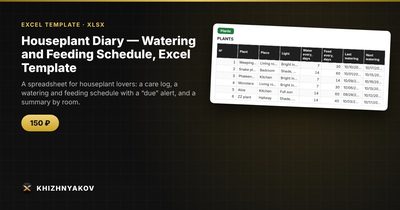
Houseplant Diary — Watering and Feeding Schedule, Excel Template — Open the template →
Most houseplants do not die from neglect on purpose. They die because you cannot remember whether the fiddle-leaf fig was watered on Tuesday or last Sunday, and the snake plant, which wants water far less often, gets the same treatment. A watering schedule solves this, but a printed calendar goes out of date the first time you skip a week.
A spreadsheet is better because it works from what actually happened: the date you last watered each plant. From that and the interval for that plant, Excel can tell you what to water today.
Step 1: Make a plant list with intervals
Create a Plants table with one row per plant: name, location (room), watering interval in days and feeding interval in days.
| Plant | Room | Water every | Feed every |
|---|---|---|---|
| Ficus | Living room | 7 days | 30 days |
| Snake plant | Bedroom | 14 days | 60 days |
| Pothos | Kitchen | 7 days | 30 days |
Intervals are a starting point, not a law. They depend on the season, light, pot size and how warm the room is. Look up the care guidance for each species, then adjust based on what the soil is telling you. Pushing a finger into the top inch or so of soil is still the best test.
Step 2: Keep a care log
Create a Log table with date, plant and action (Watering, Feeding, Repotting, Treatment, Pruning). Every time you do something, add a row. Do not edit the plant list. A log gives you history, so you can notice that a plant that was repotted in March has been struggling ever since.
Step 3: Find the last watering date automatically
For each plant, look up the most recent “Watering” entry in the log. In Excel 2019 and Microsoft 365:
=MAXIFS(Log!$A:$A,Log!$B:$B,A2,Log!$C:$C,"Watering")
In older versions, an array formula does the same job: =MAX(IF((Log!$B$2:$B$400=A2)*(Log!$C$2:$C$400="Watering"),Log!$A$2:$A$400)), confirmed with Ctrl+Shift+Enter.
Step 4: Calculate the next date and the alert
The next watering date is the last date plus the interval:
=E2+C2
Then compare it with today's date (or with a report date cell, so you can check what is due on the weekend before you go away):
=IF(F2<=Today,"Water today",IF(F2-Today<=3,"Soon","OK"))
For example, suppose the report date is November 1. The ficus was last watered on October 28, so the next date is November 4 and it shows “Soon”. The snake plant was last watered on October 20, so with a 14-day interval it is due November 3 and also shows “Soon”. The pothos, last watered October 25, was due on November 1 and shows “Water today”.
Feeding works the same way, with its own last-date lookup and interval. Most plants only need feeding during the growing season, so a simple option is to set a very long interval, or pause the feeding column, in winter.
Step 5: Summarise by room
A COUNTIFS on room and alert gives you a short list: “Living room: 2 to water, 1 to feed”. It helps if you carry a watering can from room to room rather than hunting through the house.
Common mistakes
- Fixed weekly watering for every plant. Overwatering is a more common killer than forgetting.
- Not logging the small things. Repotting and pest treatments explain a lot when a plant declines.
- Intervals that never change. Winter and summer rhythms differ. Review them each season.
- Using text for dates. Formulas will not work.
Ready-made template
The “Houseplant Diary” template is a paid spreadsheet that already contains these formulas.
- “Settings” holds the report date and the list of places (rooms).
- “Plants” holds up to 40 plants, with watering and feeding intervals in days; dates and alerts are calculated automatically.
- “Log” holds up to 400 entries: watering, feeding, repotting, treatment, pruning.
- “Summary” shows how many plants need watering and feeding, by room, with a chart.
It finds the last watering and feeding date from the log itself, adds the interval, and highlights which plants to water today and which in the coming days. It also works for office “green corners”, since places and plants are entered by hand. The file runs in Excel 2007 and newer and in LibreOffice, with ordinary formulas and no macros.
FAQ
How often should I water houseplants?
It depends on the species, pot, light and season, so there is no single answer. Start from the care recommendations for each plant and adjust the interval as you observe.
Should the schedule change in winter?
Usually yes. Most plants grow more slowly in low light and use less water, so intervals tend to get longer. Edit the interval and the next dates recalculate.
What is the best way to remember to check the sheet?
Open it on the same day each week, for example Sunday morning, and look at the plants that are due before the following Sunday.
Can I use it for garden plants or herbs?
Anything with a regular care interval works, though outdoor plants also depend on rain, which a schedule cannot predict.