KHIZHNYAKOV
How to Keep a Visitor Log, Key Log and Pass Register in Excel
Security Desk Logs in Excel: Visitor, Key and Pass Tracking Template — Open the template →
A security desk usually keeps three notebooks: one for visitors, one for keys and one for passes. When the manager asks who is in the building, or why the key to the server room has not been returned since Tuesday, someone has to flip through pages. Putting all three logs in Excel makes those questions a one-second answer.
Below is a method for building them, including duration, an "in building" status, overdue keys and expiring passes. It works for offices, schools, clinics and any building with a front desk.
Step 1: The visitor log
One row per visit. Useful columns:
| Date | Entry | Name | Document | Visiting | Department | Purpose | Pass No. | Exit |
|---|---|---|---|---|---|---|---|---|
| 11/03 | 09:05 | J. Moore | ID card | A. Singh | Finance | Meeting | 14 | 09:50 |
| 11/03 | 09:40 | R. Diaz | Driver licence | L. Park | HR | Interview | 15 |
Entry and exit should be real times (format h:mm). Use drop-down lists for department and purpose, so you can count later.
Duration in minutes:
=IF(I2="","",(I2-B2)*1440)
Times are stored as fractions of a day, hence multiplying by 1440 (24 × 60).
Step 2: Show who is in the building
A visitor is inside if today's row has an entry but no exit:
=IF(AND(A2=TODAY(),I2=""),"In building",IF(I2<>"","Left",IF(A2<TODAY(),"No exit recorded","")))
Count current visitors with =COUNTIF(status_range,"In building"). Visitors from earlier days with no exit mean someone forgot to record it, so highlight them in red.
Add a "too long" check against an allowed duration kept in a settings cell, for instance 120 minutes:
=IF(AND(I2<>"",(I2-B2)*1440>Limit),"Over time","")
Step 3: The key log
One row per issue: date, time out, room, person, time returned. Status:
=IF(F2="","Out","Returned")
Highlight keys that are still out after the end of the working day or longer than an allowed number of hours. If the end of day is in a settings cell:
=IF(AND(F2="",OR(A2<TODAY(),NOW()-(A2+B2)>MaxHours/24)),"Overdue","")
Also detect the same room being issued twice without a return:
=IF(AND(F2="",COUNTIFS(Room,C2,Returned,"")>1),"Check: already out","")
A cell that counts keys currently out, =COUNTIF(status,"Out"), goes at the top of the sheet.
Step 4: The pass register
For each pass: number, type (one-time, temporary, permanent), holder, valid-until date and return date. Status:
=IF(F2<>"","Returned",IF(E2<TODAY(),"Expired",IF(E2-TODAY()<=14,"Expires in "&E2-TODAY()&" days","Valid")))
The 14 is your warning period; keep it in a settings cell. Filter on "Expired" to find passes to collect.
Step 5: A printable daily sheet
At shift handover, it helps to print the day's visitors. Build a sheet with a date cell and a formula that lists the rows for that date, plus a signature column for the officer on duty. Or, more simply, filter the visitor log by date and print the selection.
Common mistakes
- Not recording the exit. The "in building" figure is only as good as the exits.
- Typing times as text ("9.05"). Excel cannot subtract them.
- Keeping passport or ID numbers longer than needed. Record only what your procedure requires.
- One list for everything, so keys and visitors get mixed up and counts break.
- Leaving the file open to everyone. The log contains personal data.
Ready-made security desk logs
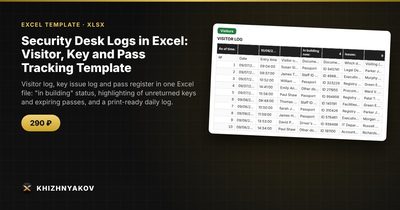
The Security Desk Logs template contains all three logs in one workbook. Excel calculates visit duration, shows who is in the building now and highlights unreturned keys, visits that run too long and passes nearing expiry.
It has seven sheets. "Instructions" explains how to start in five minutes, what the colours mean and carries a personal data warning. "Settings" holds the organization, post, allowed visit duration, end of the working day, time a key may stay out, pass expiry warning period and lists of rooms, departments, officers on duty, pass types, documents and purposes. "Visitors" takes up to 1000 records with automatic duration, "in building / left" status and checks. "Keys" takes up to 600 issue and return records and shows how many keys are out right now. "Passes" is a register of up to 300 passes with validity, status and a warning N days before expiry. "Summary" shows visitors by day and week, most visited departments, keys out and passes about to expire. "Print log" prints the visitor log for a chosen date with a signature column.
It suits duty officers, heads of security, facility managers and building administrators in schools, hospitals, offices and public buildings. It runs in Excel 2007 and later and LibreOffice, with no macros or external links. This is a paid template. It is a working log form, not an official blank form, so check the defaults against your local rules and access procedure, and store the personal data according to your organization's rules.
FAQ
How long should visitor records be kept?
It depends on your organization's rules and local requirements, so check them. Keep the log no longer than necessary and restrict access to it.
What if a visitor leaves without signing out?
Record the exit as soon as you notice, and add a note. Rows from earlier days without an exit should stand out so that the issue is visible rather than hidden.
Do I need separate sheets for several entrances?
If different posts keep their own records, use one file per post, or add a "Post" column and filter by it.
Is it safe to store personal data in Excel?
Excel does not make it safe by itself. Use password protection or a restricted folder, and limit who can open the file.