KHIZHNYAKOV
Fixed Asset Register and Depreciation Schedule in Excel
Fixed Assets and Depreciation in Excel: Asset Register and Monthly Schedule — Excel Template — Open the template →
Once a company owns more than a few dozen fixed assets, depreciation by hand turns into a monthly chore full of small errors. A laptop bought in March, a vehicle sold in September, a machine that is fully written off: each has its own start and end, and each one affects the figures you report.
This guide explains how to build a fixed asset register in Excel, calculate straight-line depreciation correctly, and produce both a net book value at any date and a monthly schedule for the year. The method works in a plain workbook; at the end there is a ready-made template if you prefer not to build one.
What the register must contain
Each asset is one row. The minimum columns are:
- Inventory number (unique)
- Name and group
- In-service date
- Cost
- Useful life in months
- Disposal date (empty if still in use)
Calculated columns then give monthly depreciation, accumulated depreciation, net book value and status. Useful lives come from the classification and accounting policy that apply to you, so enter your own values.
The straight-line method
Straight-line depreciation spreads the cost evenly over the useful life:
Monthly depreciation = Cost / Useful life in months
A common convention, and the one used below, is that depreciation starts the month after the in-service date and stops when the cost is fully written off or in the month of disposal.
Formulas
Put the calculation date in one cell, named CalcDate. Then:
- Months elapsed:
=MAX(0,MIN(Life,(YEAR(CalcDate)-YEAR(InService))*12+MONTH(CalcDate)-MONTH(InService))) - Accumulated depreciation:
=Cost/Life*MonthsElapsed - Net book value:
=Cost-Accumulated
If a disposal date exists and falls before the calculation date, use the disposal date in place of CalcDate inside the months formula.
A worked example
A workshop buys a press for 12,000 USD, put into service on 15 January 2025, with a useful life of 60 months.
- Monthly depreciation: 12,000 / 60 = 200 USD.
- Depreciation starts in February 2025.
- At 31 December 2025, months elapsed = 11 (February to December), so accumulated depreciation = 2,200 USD and net book value = 9,800 USD.
- At 31 December 2026, months elapsed = 23, accumulated = 4,600 USD, net book value = 7,400 USD.
For a monthly schedule, create twelve columns, one per month of the chosen year, and in each cell use an IF that returns the monthly amount only when that month falls after the in-service month and before the end of life or disposal. The row total is the annual charge.
Summaries that are worth having
- Cost, accumulated depreciation and net book value by asset group (
SUMIFSon the group column). - Total monthly charge across the year, which is useful for budgeting.
- A wear percentage per asset: accumulated divided by cost, to spot equipment nearing the end of life.
Common mistakes
- Starting depreciation in the wrong month. Decide the convention once and apply it to every asset.
- Forgetting disposals. A sold asset must stop depreciating; keep the disposal date and test it.
- Depreciating beyond cost. Cap months elapsed at the useful life.
- Mixing cost and net value. Keep original cost untouched in its own column.
- Using a stale date. A single calculation date cell makes every figure consistent.
Ready-made template: fixed assets and depreciation
The Fixed Assets and Depreciation template is a paid file that does exactly this without you having to write formulas.
- Settings: the calculation date, the schedule year and the fixed asset groups.
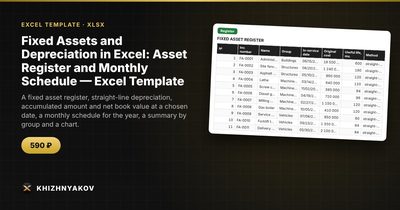
- Register: up to 300 assets, with inventory number, group, in-service date, cost, useful life, disposal date, depreciation, net book value, wear and status.
- Depreciation sheet: depreciation for each asset for each month of the chosen year and the annual total.
- Summary: figures by group, accumulated depreciation and net book value, monthly charges and a chart.
To see the net book value at another date, enter that date in Settings and everything recalculates. It works in Excel 2007 and later and LibreOffice, with no macros. Only the straight-line method is implemented. The calculation is indicative and does not replace accounting or tax records, so check useful lives and groups against the rules that apply to you.
FAQ
What is the difference between accumulated depreciation and net book value?
Accumulated depreciation is the total cost written off so far. Net book value is what remains: cost minus accumulated depreciation.
What happens when an asset is sold or scrapped?
Enter the disposal date. Depreciation stops in that month, and the asset's status changes so you can filter it out of active equipment.
Can I use declining-balance depreciation?
Not in this method, which is straight-line only. Declining-balance needs a different formula and usually a policy decision from your accountant.
Do I need to record small purchases as assets?
Only if they pass the capitalization threshold in your accounting policy. Cheaper items are normally expensed and, if useful, tracked in a simple inventory list.