KHIZHNYAKOV
How to Track Energy Consumption and Limits in Excel
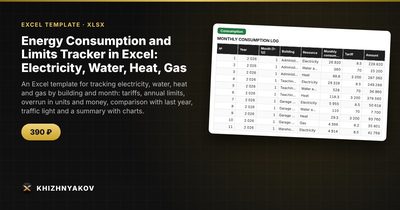
Energy Consumption and Limits Tracker in Excel: Electricity, Water, Heat, Gas — Open the template →
Meter readings sit in one folder, bills in another, and the annual limit in a contract nobody opens. The result is a familiar surprise: in November someone notices that a building has already used its yearly allowance of heat or electricity.
The cure is a single log where every reading becomes a row, plus a few formulas that translate consumption into money and compare it with a limit. This guide explains how to set that up and read the results, so you can react in March instead of December.
What you need to record
For each building and each resource (electricity, water, heat, gas), once a month, write down:
- Year and month
- Building
- Resource
- Consumption in the resource's own unit (kWh, cubic meters, Gcal and so on)
Everything else is calculated. Keep tariffs and annual limits in a separate settings table, so that a tariff change is a one-cell edit.
Step 1: Set annual limits and monthly shares
An annual limit is useless for monitoring until you break it into months. Heating and gas are seasonal, so dividing by twelve produces false alarms in winter and false comfort in summer. Instead, give each month a share of the annual limit, and make sure the shares for one resource add up to 100%.
| Month | Heat share | Electricity share |
|---|---|---|
| January | 18% | 9% |
| April | 8% | 8% |
| July | 1% | 8% |
| December | 17% | 9% |
The monthly limit is then =AnnualLimit*MonthShare.
Step 2: Calculate cost and overrun
With consumption in column E and the tariff pulled by VLOOKUP from the settings:
- Amount:
=Consumption*Tariff - Monthly limit:
=INDEX(AnnualLimit,...)*INDEX(Share,...) - Overrun in units:
=MAX(0,Consumption-MonthlyLimit) - Overrun in money:
=OverrunUnits*Tariff
Step 3: A worked example
A small school building has an annual electricity limit of 60,000 kWh and a tariff of 0.15 USD per kWh. January's share is 9%, so the January limit is 5,400 kWh. Actual consumption was 5,940 kWh.
- Amount: 5,940 x 0.15 = 891 USD
- Overrun: 5,940 - 5,400 = 540 kWh
- Overrun in money: 540 x 0.15 = 81 USD
Having the overrun both in kWh and dollars helps two audiences: engineers see units, managers see budget impact.
Step 4: Add a traffic light
Use three states: red when consumption is above the monthly limit, yellow when it is at least a chosen share of the limit (90% is a sensible start), and green otherwise. The yellow state is the valuable one, because it warns you before the limit is breached.
Step 5: Compare with last year
Store last year's data in the same log. Then a SUMIFS on the same month, building and resource gives last year's consumption, and the change is =(This-Last)/Last. A rise of 15% in a month with the same weather is a good reason to inspect equipment.
Common mistakes
- Using a flat 1/12 limit for seasonal resources.
- Mixing units between months, for example cubic meters in spring and liters in autumn.
- Entering meter readings instead of consumption. Subtract the previous reading first, or add a column that does it.
- Forgetting corrections. If a supplier recalculates a month, edit the row rather than adding a duplicate.
- Not checking totals. Shares that sum to 99% quietly lose one percent of the limit.
Ready-made template: energy consumption and limits tracker
The Energy Consumption and Limits Tracker is a paid Excel template that already contains these calculations.
- Lists: resources and tariffs, buildings (up to 8), annual limits for each building and resource, monthly shares of the limit and the reporting year.
- Consumption: up to 1000 records with year, month, building, resource and consumption; the tariff, amount, monthly limit, overrun, traffic light and change versus last year are calculated for you.
- Summary: totals by resource and building, overrun in money, a monthly table and two charts.
It is aimed at facility managers, chief engineers, heads of institutions and accountants who report against consumption limits. It works in Excel 2007 and later and LibreOffice, with no macros. The tariffs, limits and standard values in the sample are fictional: take real ones from your contracts and bills and check them against local requirements. The calculation is approximate.
FAQ
How often should I enter readings?
Monthly is enough for limits. If you also want to catch leaks or faults quickly, add a weekly reading for water only.
What if a building has two meters for the same resource?
Add the two consumptions into one row per month, or use two rows with the same building and resource. Totals by SUMIFS will add them correctly.
Where do tariffs and limits come from?
From your supply contracts, invoices and your organization's own limit documents. Update them whenever the supplier announces a change.
Can I use this for a single apartment or house?
Yes, with one building and your own targets instead of formal limits. Set an annual target based on last year and use the same monthly shares.