KHIZHNYAKOV
Fuel Consumption Log and Trip Sheet in Excel: Norm, Overuse and Savings
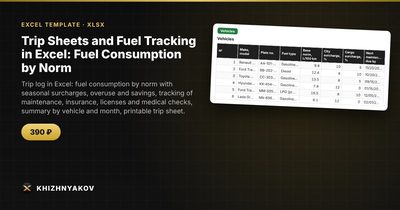
Trip Sheets and Fuel Tracking in Excel: Fuel Consumption by Norm — Open the template →
For an organization with a handful of vehicles, fuel is a quiet source of losses. Nobody steals a thousand dollars at once; a few liters here and there, a long idle, an unrecorded detour. The only way to see this is to compare what each vehicle should have used with what it did use.
Below is a practical method for doing that in Excel: a trip log, a consumption norm with seasonal surcharges, and a monthly summary. It works for a school minibus, a municipal pickup or a small delivery fleet.
The basic idea
For every trip, record the odometer at departure and return, the fuel balance at both points and the liters added. From that:
- Mileage = return odometer - departure odometer
- Actual consumption = balance at departure + refuel - balance at return
- Consumption by norm = mileage x norm per 100 km / 100 x (1 + surcharge)
- Overuse or saving = actual - norm (positive means overuse)
The norm in L/100 km comes from the vehicle's own data and your internal rules; treat any figure here as an example.
Step 1: Build the vehicle table
One row per vehicle: plate, model, base norm in L/100 km, extra percentage for city driving, extra percentage for cargo, dates of the next maintenance and insurance expiry, and current odometer. Keep drivers in a second table with license and medical check dates.
Step 2: Add seasonal surcharges
Cold weather raises consumption. Create a small table with a surcharge for each month, such as 10% in December to February and 0% in summer. The total surcharge for a trip is the seasonal one plus the condition surcharges (city, cargo, or both):
=1+VLOOKUP(MONTH(TripDate),SeasonTable,2,0)+CitySurcharge+CargoSurcharge
Then NormFuel = Mileage*BaseNorm/100*Factor.
Step 3: A worked example
A pickup has a norm of 10 L/100 km. In January the seasonal surcharge is 10% and the trip is in the city, which adds 5%. The factor is 1.15. The trip is 120 km.
- Norm: 120 x 10 / 100 x 1.15 = 13.8 L
- Fuel at departure 30 L, refuel 0, balance at return 15 L, so actual = 15 L
- Overuse = 15 - 13.8 = 1.2 L
At a fuel price of 1.50 USD per liter, the overuse costs 1.80 USD. Over a month with twenty similar trips, that is 36 USD for one vehicle, which is a number worth watching.
Step 4: Add checks
Every log should challenge its own data. Useful checks include:
- Return odometer lower than departure
- Departure odometer lower than the previous return
- Negative fuel balance
- Duplicate trip sheet number
- Overuse above an agreed threshold
- Driver license, medical check, insurance or maintenance expired on the trip date
Flag them with conditional formatting so a quick scroll shows the problem rows.
Step 5: Summarize
Use SUMIFS by vehicle and month for mileage, fuel and overuse, and calculate average consumption as =Fuel/Mileage*100. A vehicle whose average drifts upward month after month probably needs a mechanical check, not a conversation with the driver.
Common mistakes
- Applying one flat norm all year. Winter will always look like overuse.
- Ignoring idle time and special equipment. If it matters to you, define a separate surcharge.
- Trusting estimated fuel balances. Read the gauge or measure the tank consistently.
- Letting dates lapse. Expired insurance or licenses are far costlier than fuel.
Ready-made template: trip sheets and fuel tracking
The Trip Sheets and Fuel Tracking template is a paid Excel file based on this method.
- Settings: organization, overuse threshold, warning period, seasonal surcharges by month and fuel prices, all editable.
- Vehicles: up to 60 vehicles with L/100 km norm, city and cargo surcharges, maintenance and insurance dates and current odometer.
- Drivers: up to 80 drivers with license and medical check, with the medical check validity calculated automatically.
- Trip Log: up to 800 records with mileage, consumption by norm, actual consumption, overuse and saving, status and the checks described above.
- Deadline Control: a traffic light for maintenance, insurance, licenses and medical checks.
- Summary: by month and by vehicle, with mileage, fuel, overuse, average consumption and the cost of overuse.
- Print Trip Sheet: a simplified form by record number with signature fields. It is a working form, not an official one.
It works in Excel 2007 and later and LibreOffice, with no macros. Norms, surcharges, medical check validity and the overuse threshold are illustrative defaults, so check them against your own rules and the regulations that apply to you.
FAQ
What is a reasonable overuse threshold?
There is no universal figure. Start with a small tolerance, for example 5%, watch a few months of data and adjust to what your vehicles actually do.
How do I handle a trip that spans two days?
Record it as one trip with the departure date as the trip date. Seasonal surcharges use that month.
Can the log work without the printed form?
Yes. The form is just a convenience for signatures. Many fleets keep the electronic log as the primary record.
What if the driver changes mid-trip?
Split it into two rows with the odometer reading at the handover, so each driver has a clean record.