KHIZHNYAKOV
How to Calculate Courier Pay in Excel: Zones, Kilometers, Penalties and Bonuses
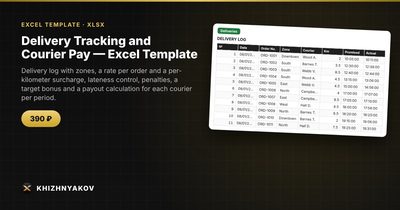
Delivery Tracking and Courier Pay — Excel Template — Open the template →
Paying couriers per delivery sounds simple until the month ends. One driver argues that a delivery was on time, another says the kilometers were counted wrong, and the bonus rules live in somebody's memory. Every dispute costs time and trust.
The fix is to turn the pay rules into numbers once, record every delivery as a row, and let formulas do the arithmetic. Below is a method that works in any spreadsheet: how to structure the data, which formulas to use, a worked example with real numbers, and the mistakes that cause most arguments.
Step 1: Write the pay rules as numbers
Before opening Excel, put every rule into a short list. A typical scheme for a small delivery service has four parts:
- A rate per order that depends on the delivery zone (city center, suburbs, outskirts).
- A surcharge per kilometer for each zone.
- A penalty for lateness applied when the courier arrives later than promised by more than a tolerance.
- A target bonus paid when the courier completes a minimum number of orders and keeps the on-time share above a threshold.
Keep these values in a separate settings area, never inside formulas. When the rate changes, you edit one cell instead of hunting through hundreds of rows.
Step 2: Build the delivery log
Create one row per delivery with these columns: date, order number, zone, courier, kilometers, promised time, actual time, order amount. Then add calculated columns:
| Column | Formula idea |
|---|---|
| Minutes late | =MAX(0,(Actual-Promised)*1440) |
| Late? | =IF(MinutesLate>Tolerance,1,0) |
| Payment | =MAX(0,ZoneRate+Km*ZoneKmRate-Late*Penalty) |
Pull the zone rate with VLOOKUP or INDEX/MATCH from the settings table. Wrapping the payment in MAX(0, ...) matters: a single delivery should never produce negative pay.
Step 3: A worked example
Suppose the settings are: city zone rate 3.00 USD plus 0.40 USD per km; suburb zone rate 4.50 USD plus 0.50 USD per km; late penalty 1.00 USD; tolerance 10 minutes.
Courier Anna completes three deliveries:
- City, 4 km, on time: 3.00 + 4 x 0.40 = 4.60 USD.
- Suburb, 12 km, 6 minutes late (within tolerance): 4.50 + 12 x 0.50 = 10.50 USD.
- City, 6 km, 18 minutes late: 3.00 + 6 x 0.40 - 1.00 = 4.40 USD.
Total for the three orders: 19.50 USD. Two of three deliveries were on time, so her on-time share is 66.7%.
Step 4: Add the period payout and bonus
Use SUMIFS to total orders, kilometers, late deliveries and payments per courier for the chosen dates:
=SUMIFS(Payment,Courier,A2,Date,">="&Start,Date,"<="&End)
The on-time share is =1-LateCount/OrderCount. The bonus condition becomes a single IF: if orders reach the courier's target and the on-time share is not below the minimum, add the bonus. If you want to ignore the share condition, set the minimum to 0%.
The final payout is payments plus bonus. Put the start and end dates in two cells so you can switch to another month without clearing the log.
Common mistakes
- Hard-coding rates in formulas. Next price change, you will miss a cell.
- Mixing text and time. Enter promised and actual time as real Excel times, not text, or the lateness formula returns errors.
- Ignoring midnight. If a delivery crosses midnight, include the date in both time fields.
- Counting tolerance inconsistently. Decide once whether exactly 10 minutes late is on time, and write it into the rule.
- Not showing couriers the calculation. A per-delivery payment column ends most disputes before they start.
Ready-made template: delivery tracking and courier pay
If you would rather not build this from scratch, the Delivery Tracking and Courier Pay template implements exactly this logic. It is a paid template.
- Lists sheet: couriers with an order target, zones with a rate per order and a surcharge per km, the late penalty, the tolerance in minutes, the target bonus and the minimum on-time share.
- Deliveries sheet: room for up to 1000 deliveries with date, order, zone, courier, kilometers, promised and actual time, order amount, lateness and the courier payment.
- Period payout sheet: for each courier, orders, kilometers, late deliveries, on-time share, penalties, target achievement, bonus and total payout. Change the period dates and everything recalculates.
- Summary sheet: deliveries by zone and by day, average delivery cost, delivery share of the order total and two charts.
The package includes a blank file and a filled-in sample with fictional data, so you can see how the checks work. It works in Excel 2007 and later and LibreOffice, with no macros, and fixes and new versions are free. Rates and thresholds are kept in the lists; check them against your local rules, since the calculation is approximate.
FAQ
Should I pay couriers per delivery or per hour?
Per delivery with a distance component rewards efficiency and is easy to audit. Hourly pay suits slow, low-volume periods. Many services combine a small base with per-delivery pay; the spreadsheet method above handles that if you add a base column.
How do I handle a failed or cancelled delivery?
Add a status column and decide in advance whether a failed delivery earns a reduced rate or nothing. Then multiply the payment by 0, or by a fraction, based on that status.
How can I show a courier why their pay changed?
Share the delivery rows for the period: zone, kilometers, minutes late and payment per line. When every number has a visible source, there is little left to argue about.
Is the bonus fair if a courier works fewer days?
Set the order target per courier, not one value for everybody. A part-time courier gets a lower target, so the bonus rewards effort rather than hours.