KHIZHNYAKOV
Stock and Asset Records in Excel: How to Prepare a Write-Off Act
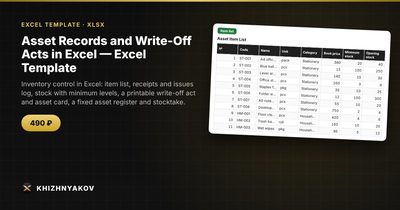
Asset Records and Write-Off Acts in Excel — Excel Template — Open the template →
Offices, schools, clinics and small warehouses all share the same problem: supplies and equipment come in, get handed out, break or disappear, and nobody can say with confidence what is on the shelf. At the end of the year a stocktake reveals gaps, and then someone has to explain them on paper.
You do not need specialized software to fix this. A well-structured spreadsheet with an item list, a transaction log and a few formulas gives you reliable balances and a clean basis for write-off acts. This guide shows how to set it up and where people usually go wrong.
The three-part structure
Good stock records need only three tables:
- Item list. One row per item: code, name, unit, category, book price, minimum stock and opening stock.
- Transaction log. One row per movement: date, item code, type (receipt, issue, write-off, transfer), quantity, price, warehouse, reason, act number.
- Balances. One row per item with receipts, issues, write-offs and the resulting stock.
Never type stock numbers by hand in the balance table. It should always be calculated from the log, so a number can be traced back to the movement that caused it.
Step by step
Build the log
Give every transaction its own row. Keep quantity positive and let the type decide the direction. For write-offs, always fill in the reason (broken, expired, worn out, lost) and the act number, even if the act is not yet signed.
Calculate balances with SUMIFS
For item code in A2, with types in column C and quantities in column D of the log:
=Opening + SUMIFS(Qty,Code,A2,Type,"Receipt") - SUMIFS(Qty,Code,A2,Type,"Issue") - SUMIFS(Qty,Code,A2,Type,"Write-off")
Value is stock multiplied by book price. Add a "reorder" column with =IF(Stock<Minimum,Minimum-Stock,0) so low items show up on their own.
Add checks
Three cheap checks catch most data entry errors: an issue that exceeds current stock, a row with no price, and a write-off with no reason or act number. Use IF and conditional formatting to turn these rows red.
A worked example
A school keeps printer paper. Opening stock is 40 reams at 4.00 USD. During the term it receives 60 reams, issues 85, and writes off 5 water-damaged reams.
Stock = 40 + 60 - 85 - 5 = 10 reams. If the minimum is 20, the reorder suggestion is 10 reams. Stock value is 10 x 4.00 = 40.00 USD. The write-off act lists 5 reams, the reason "water damage" and a value of 20.00 USD, with the committee signatures at the bottom.
What goes into a write-off act
A working act normally contains the act number and date, the items with code, unit, quantity and price, the reason, totals, an approval line and the signatures of the committee members. Which reasons are acceptable, and who must sign, is decided by your own accounting policy and local rules, so check them before relying on any form.
Common mistakes
- Overwriting balances. Typing a new stock number destroys the audit trail.
- Mixing units. Boxes in one row and pieces in another produce nonsense totals.
- Skipping the stocktake. Compare the book quantity with a physical count at least once a year and record surpluses and shortages in units and in value.
- No custodian. Every storage location should have a named responsible person.
- Duplicate item codes. Two codes for the same thing split the balance in two.
Ready-made template: asset records and write-off acts
The Asset Records and Write-Off Acts template is a paid, ready-built version of everything above.
- Settings: organization, warehouses and storage locations, custodians, write-off reasons, categories, write-off committee members and the "running low" threshold.
- Item list: up to 300 items with code, unit, category, book price, minimum and opening stock, plus checks for duplicates and gaps.
- Transaction log: up to 1,500 rows for receipts, issues, write-offs and transfers between warehouses, with stock after each transaction and checks for an issue above stock, a missing price, a write-off without an act and a missing reason.
- Stock balances: receipts, issues, write-offs, current stock and value for each item, with items below minimum and negative stock highlighted and a reorder quantity.
- Write-off act: a printable form. Choose the act number and the rows are pulled from the log, with totals, an "Approved" line and committee signatures.
- Fixed assets and Asset card: a register of up to 200 assets with straight-line depreciation and a printable card with a depreciation schedule by year.
- Stocktake: book and actual quantities with surpluses and shortages in units and in value.
- Summary: stock by warehouse and category, movement and write-offs by month and by reason.
The printed forms are working forms based on the structure of typical documents, not official forms. Procedures, useful lives and committee members depend on your accounting policy and local rules. It runs in Excel 2007 and later and LibreOffice, with no macros.
FAQ
How often should I do a stocktake?
At least once a year, and again whenever a custodian changes. High-turnover items such as stationery or cleaning supplies benefit from a quick count every quarter.
What do I do with a surplus found during a count?
Record it as a receipt with the reason "surplus found" and the date of the count, so balances match reality while the history stays visible.
Can one spreadsheet handle several warehouses?
Yes. Add a warehouse column to the log and include it in your SUMIFS conditions, or use a summary table by warehouse. Transfers are recorded as an issue from one place and a receipt at another.
Should low-value items be tracked individually?
Usually not. Track consumables by quantity and category, and keep individual records for equipment worth the effort, using your own policy threshold.