KHIZHNYAKOV
How to Make a Kindergarten Attendance Sheet and Calculate Parent Fees in Excel
Kindergarten Attendance Sheet and Parent Fees in Excel — Open the template →
Counting attendance at the end of the month is tedious: weekends and holidays have to be skipped, sick days and vacations treated differently, and a few families get a discount. Done by hand, it takes hours and still ends in an argument with a parent about one missing day.
An attendance sheet in Excel can do the counting for you. This guide explains how to lay it out, which formulas to use, and a worked example of a parent fee calculation. It works for kindergartens, private childcare centers, clubs and activity groups.
Step 1: Lay out the month
Put the children in rows and the days of the month, 1 to 31, in columns. Above the day numbers add the weekday. If cell D1 holds the first day of the month as a real date, the next days are simple:
=D1+1
Show the day number with the custom format d and the weekday with ddd. That way, changing the month means changing one date and everything else follows.
Shade weekends automatically with conditional formatting:
=WEEKDAY(D$1,2)>5
Keep a small list of public holidays for the month and shade those too:
=COUNTIF(Holidays,D$1)>0
Step 2: Choose a short set of marks
Four marks are enough, and a drop-down list in each cell keeps them consistent:
| Mark | Meaning |
|---|---|
| + | Present |
| S | Sick |
| V | Vacation |
| A | Absent, another reason |
Free typing is where counts go wrong, because "s", "S " and "sick" are three different things to Excel. Use Data Validation > List.
Step 3: Count working days and attendance
Working days in the month, excluding weekends and the holiday list:
=NETWORKDAYS(first_day,last_day,Holidays)
For each child, in a row of marks B5:AF5:
- Days present:
=COUNTIF(B5:AF5,"+") - Sick days:
=COUNTIF(B5:AF5,"S") - Vacation days:
=COUNTIF(B5:AF5,"V") - Attendance percentage:
=Present/WorkingDays
For example, in a month with 21 working days, a child present on 15 days, sick for 4 and on vacation for 2 has an attendance of 15/21 = 71%.
Step 4: Calculate the parent fee
There are two common modes, and your institution should decide which applies.
By attendance: days present multiplied by the daily meal cost, multiplied by a discount factor.
=Present*MealCost*(1-Discount)
If the meal cost is $4.50 a day, a child attended 15 days and the family has a 50% discount: 15 × 4.50 × 0.5 = $33.75.
For all working days: the fee ignores absence and is simply working days times the daily rate. Add a mode switch cell and use IF so the same sheet can serve both modes.
Discounts belong in a column next to the child's name (none, 50%, 100%) rather than inside the formula. Then one formula works for every row and an auditor can see why a fee is what it is.
For the group, =SUM(fee column) gives the total, and =AVERAGE(present column)/WorkingDays gives the average attendance.
Common mistakes
- Counting calendar days. Use NETWORKDAYS and a holiday list.
- Forgetting to clear last month's marks when you change the date, which makes this month's numbers wrong.
- Hard-coding the meal cost in formulas. Keep it in one settings cell.
- Mixing sick days and vacation days in one category when your rules treat them differently.
- No total check. Add a row summing present children per day. A day with zero present on a working day is probably a data entry gap.
Ready-made attendance sheet with fee calculation
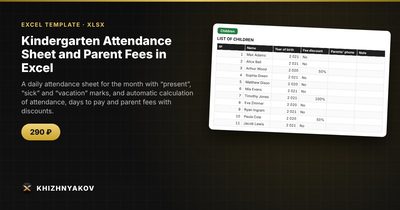
If you do not want to build it, the Kindergarten Attendance Sheet and Parent Fees template does this in one file. You mark the day in a cell, and the spreadsheet calculates working days, attendance, days to pay and the fee for each child and for the group.
It has four sheets. "Group" holds the institution, group, teacher, month, meal cost, fee calculation mode and public holidays. "Children" lists the children with year of birth and fee discount (none, 50% or 100%). "Attendance" handles up to 40 children over 31 days with marks +, S, V and A, shaded weekends and holidays, and totals and fee on the right. "Summary" shows attendance by day, average attendance, total fees and a chart. To change the month, you change the date of the 1st on the "Group" sheet and clear the marks.
It suits kindergarten teachers and directors, private childcare centers, clubs and activity groups. It runs in Excel 2007 and later and LibreOffice, with no macros. This is a paid template. The calculation is approximate, so check rates, thresholds and rules against your own institution's requirements before using the figures.
FAQ
How do I handle a child who joins mid-month?
Leave the days before joining blank and mark from the first day of attendance. If the fee mode charges for all working days, adjust it for that child, for example with a separate adjustment column.
What if a holiday falls on a Saturday?
Weekends are already excluded, so listing it as a holiday would not change anything. Just make sure the holiday list contains only the dates that fall on weekdays when your institution is closed.
Can I print the sheet on one page?
Yes. Set the print area, choose landscape, and under Page Layout set Fit to 1 page wide. With 31 day columns this usually fits on A4 or Letter.
Should parents see the whole sheet?
Usually not. Show them their own child's totals and fee only, since other children's attendance is personal information.