KHIZHNYAKOV
How to Track Library Books and Loans in Excel
Library Collection and Book Loans in Excel — Excel Template — Open the template →
Books go out and do not come back. A paper card in the back of each book tells you who has it, but not who is late, and not how many copies are actually on the shelf. For a school library, a village library or a club with a shared collection, a few connected Excel sheets can do much better, without any special software.
This guide shows how to build a loan tracker that calculates due dates and produces a list of overdue books on its own.
Step 1: Three tables, not one
The biggest design mistake is one giant sheet with the book title, reader name and dates all mixed together. Use three tables.
Collection (one row per title):
| ID | Title | Author | Section | Copies |
|---|---|---|---|---|
| B001 | Charlotte's Web | E. B. White | Fiction | 3 |
| B002 | The Elements | T. Gray | Science | 1 |
Readers (one row per person): reader ID, name, class or group.
Loans (one row per borrowing): loan date, book ID, reader ID, due date, return date.
Give every book and reader a unique ID. Names repeat; IDs do not.
Step 2: Calculate the due date
Keep the loan period in a settings cell, say 21 days. Then the due date is:
=A2+Settings!$B$1
If you want to skip weekends, use WORKDAY:
=WORKDAY(A2,Settings!$B$1)
Never type due dates by hand. When the loan period changes, a formula updates all of them at once.
Step 3: Show overdue loans
A loan is overdue when it has no return date and the due date has passed. With due date in D and return date in E:
=IF(AND(E2="",D2<TODAY()),"Overdue","")
Days late:
=IF(AND(E2="",D2<TODAY()),TODAY()-D2,"")
Color overdue rows red with conditional formatting. To produce a clean list of just the late ones, apply an AutoFilter on the status column, or use a separate sheet with a FILTER formula in versions of Excel that support it.
Step 4: Count available copies
This is the formula that saves arguments at the desk. Copies available equals total copies minus copies currently on loan:
=E2-COUNTIFS(Loans!$B:$B,A2,Loans!$E:$E,"")
Here column E in Collection is the number of copies, Loans column B is the book ID and Loans column E is the return date; an empty return date means the book is still out. Example: if "The Elements" has 1 copy and one open loan, the result is 0 and nobody else can borrow it.
For a reader's current loans:
=COUNTIFS(Loans!$C:$C,reader_id,Loans!$E:$E,"")
You can also set a limit, such as three books at a time, and flag readers who go over it.
Step 5: Look up titles instead of retyping them
Show the book title in the loan table by looking it up from the ID. With the Collection range A2:B500:
=IFERROR(VLOOKUP(B2,Collection!$A$2:$B$500,2,FALSE),"")
Use the same trick for reader names. That way a typo in a name can only exist in one place.
Common mistakes
- Deleting a loan row when the book is returned. Enter a return date instead; you keep the history.
- No unique IDs. Two readers named Alex Kim will cause trouble sooner or later.
- Counting copies by hand. It drifts out of sync within a week.
- Typing dates as text, such as "5.3". Excel will not calculate with them. Use a proper date format.
- Forgetting to check the overdue list regularly. Pick a day, say Friday, and print it.
Ready-made library tracker
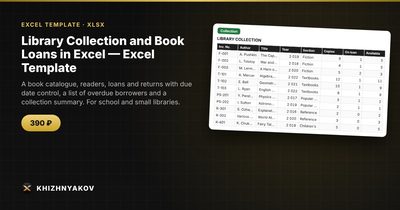
The Library Collection and Book Loans template has this structure ready. The spreadsheet keeps the collection, readers and loans, calculates the due date and builds the list of overdue borrowers on its own.
It has four sheets. "Collection" is a catalogue of books with authors, section and number of copies. "Readers" lists readers with their class or group. "Loans" shows who borrowed which book and when, with the due date and the return date. "Overdue" is an automatic list of overdue loans. The collection also shows copies available and the summary shows loans. To return a book, you enter the return date in the loan row and it drops off the overdue list. Several readers can have the same title if there are several copies.
It suits school librarians, village and corporate libraries, and clubs and groups with a book collection. It runs in Excel 2007 and later and LibreOffice, with no macros. This is a paid template.
FAQ
How many days should the loan period be?
Two to three weeks is typical for school and community libraries. Keep it in one settings cell so you can change it for holidays or for a specific section.
How do I handle lost books?
Add a status or a note in the loan row, and keep the return date empty until the matter is settled. Reduce the number of copies in the collection when you formally write the book off.
Can I renew a loan?
The simplest way is to note the renewal and edit the due date in that row. If you renew often, add a "Renewals" column so you can see which books keep circulating.
How do I protect readers' privacy?
Keep the file in a place only library staff can reach, and avoid recording more than you need, such as a name and a class or group.