KHIZHNYAKOV
How to Prepare a Counterparty Reconciliation Statement in Excel
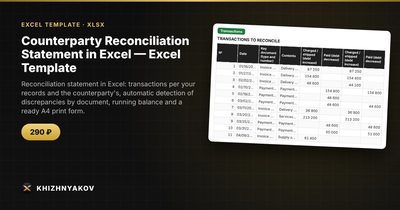
Counterparty Reconciliation Statement in Excel — Excel Template — Open the template →
At some point every business has to agree the numbers with a customer or supplier. They say you owe 12,400 dollars; your books say 11,900. Somewhere there is an invoice, a payment or a credit note that exists on one side only. Finding it by eye across two long lists is slow and easy to get wrong.
Excel is well suited to this job. Put both sides next to each other, let a formula mark every row where they disagree, and calculate the running balance. Here is a step-by-step method.
Step 1: One table, two sides
Do not keep two separate lists and compare them visually. Enter each document once, with your amounts on the left and the counterparty's amounts on the right.
| Date | Document | Our charge | Our payment | Their charge | Their payment |
|---|---|---|---|---|---|
| 03/02 | Invoice 101 | 5,000 | 5,000 | ||
| 03/10 | Payment | 5,000 | 5,000 | ||
| 03/15 | Invoice 102 | 4,200 | 4,020 | ||
| 03/22 | Invoice 103 | 2,700 |
Take the document number as the key. If the same document appears in both lists, it goes on one row. If you are matching lists exported from two different systems, a helper column with =VLOOKUP(document, other_list, 2, FALSE) will pull the matching amount across.
Step 2: Flag discrepancies automatically
Set a small tolerance for rounding, say 0.01. For each row compare your net amount with theirs:
=IF(AND(E2=0,F2=0,OR(C2<>0,D2<>0)),"Not with counterparty",IF(AND(C2=0,D2=0,OR(E2<>0,F2<>0)),"Not with us",IF(ABS((C2-D2)-(E2-F2))>Tolerance,"Discrepancy","OK")))
For the sample rows above:
- Invoice 101 and the payment: OK.
- Invoice 102: 4,200 against 4,020. Discrepancy of 180, which looks like a transposed digit.
- Invoice 103: not with counterparty. They have not recorded it, perhaps because it was never delivered or was booked in another period.
Colour non-OK rows. A filter on the result column then gives you the list of questions to ask.
Step 3: Calculate the running balance
Opening balance plus charges minus payments, row by row. For your side, if the opening balance is in H1 and the first row is 2:
=H1+C2-D2 and drag it down.
Do the same on the counterparty side with columns E and F. The two final balances differ by exactly the sum of the differences, which is a handy check: if they do not, a row has been mistyped.
In the example, the balances differ by 180 + 2,700 = 2,880. That is the figure you need to explain.
Step 4: Write the conclusion
At the bottom of the statement, say who owes whom. If the supplier is the one owed:
=IF(balance>0,"Debt in favour of the supplier: "&TEXT(balance,"#,##0.00"),IF(balance<0,"Debt in favour of the buyer: "&TEXT(-balance,"#,##0.00"),"No debt"))
Whether a positive balance means the buyer owes depends on whose books you are looking at. Decide once, label it, and apply it consistently.
Common mistakes
- Starting without agreeing the opening balance. Everything after it inherits the error.
- Comparing totals only. Two offsetting errors give identical totals and hide both.
- Ignoring dates. An invoice dated 31 March on your side and 1 April on theirs is a timing difference, not an error. Note it as such.
- Mixing currencies or VAT-inclusive and exclusive amounts. Agree the basis first.
- Losing the audit trail. Keep the version sent to the counterparty and note what was changed afterwards.
Ready-made reconciliation statement
The Counterparty Reconciliation Statement template is built around this method. You enter the documents in one table and the spreadsheet finds the discrepancies, calculates the running balance and builds a statement with the "debt in favour of..." wording and signature lines.
It has five sheets. "Details" holds your organization, counterparty, contract, period, opening balances for both sides, who the supplier is, the comparison tolerance and the signatories. "Transactions" takes up to 500 documents with your charge and payment amounts, the counterparty's amounts, differences, the reconciliation result and the running balance. "Discrepancies" lists documents with a difference and a hint on what to check. "Statement" is an A4 print form with the final balance, debt wording, signature lines and a register of transactions (the first 100 are printed). "Summary" shows turnover and balances, number of discrepancies, turnover by month and two charts.
It suits accountants, sales managers, purchasing staff, small companies and sole traders. It runs in Excel 2007 and later and LibreOffice, with no macros. This is a paid template. The statement form is not a strict one, so check its layout against your own requirements and those of your counterparty.
FAQ
What if I am the buyer, not the supplier?
On the "Details" sheet you choose who the supplier is. The amounts and balances are calculated the same way; only the wording of the conclusion changes.
How often should I reconcile?
Quarterly is a common rhythm, and monthly for large or disputed accounts. Always reconcile before the year-end close.
Who signs the statement?
Usually an authorised person from each side. Check your own internal rules and local requirements for who qualifies.
Does a signed statement settle the dispute?
It records that both sides agree on the balance at that date. Anything contested should be written next to the figure, not left out.